

The Atlassian FastShift program promises to compress a migration that would normally take 12 to 16 months down to just 2 to 6 months, with a dedicated team of Atlassian specialists assigned to your account.
For qualifying organizations, it’s a serious offer. But even with a full team in your corner, FastShift has real limits, and knowing where those limits are will help you decide whether the program is enough on its own, or whether you need more.
What is Atlassian FastShift?
Atlassian FastShift is a complimentary migration acceleration program for large organizations moving from Data Center to Atlassian Cloud. To qualify, you need 1,000 or more seats in Jira, Jira Service Management, or Confluence Cloud, an executive sponsor at Atlassian or a solution partner attached to the migration, and readiness to migrate within 2 to 6 months.
The program’s core promise: compress a migration that would typically take 12 to 16 months down to just 2 to 6 months. What makes this possible isn’t just tooling — it’s a dedicated team assigned to your account:
- Delivery Manager: Your primary point of contact for the entire migration. Manages the end-to-end experience from relationship management through execution.
- Migration Support Engineer: Provides high-touch technical support throughout the migration. Works closely with the Delivery Manager and escalates complex issues directly to Atlassian’s product and engineering teams.
- Customer Success Manager (CSM): Handles adoption strategy and organizational change management post-migration. Curates learning pathways and facilitates product advocacy to help your teams actually use what they’ve moved to.
- FastShift Sponsor: A senior Atlassian executive who manages escalations and champions product enhancements your migration might require.
For standard migrations at scale, this is a substantive offering. Atlassian claims customers achieve 80 to 90 percent adoption rates and cites examples of organizations migrating 30,000 to 60,000 users in 3 to 4 months.
But even with this team in place, the questions start once you look at what’s out of scope.
Pain Points IT Teams Run Into with Atlassian FastShift
Even with a dedicated Atlassian team assigned to your account, FastShift customers regularly hit walls the program wasn’t designed to address. Here are the most common frustrations:
Marketplace apps and integrations are out of scope. FastShift focuses on core Jira and Confluence data. If you rely on third-party Marketplace apps — and most large organizations do — migrating, replacing, or reconfiguring those is your problem, or an extra-cost engagement. Atlassian explicitly directs these needs to Solution Partners.
Customizations and complex workflows require separate help. Custom scripts, complex workflows, and bespoke configurations aren’t part of what FastShift covers. If your instance has grown organically over the years, the gap between “we’ve migrated the data” and “everything works like it used to” can be significant.
FastShift is lift-and-shift by design. The program moves your existing setup to cloud as-is. It’s not built for phased migrations, where you move teams or products incrementally over time, and it’s not built for organizations that want to use the migration as an opportunity to rethink how they work. If a phased approach or a deeper transformation is what you need, FastShift isn’t the right fit.
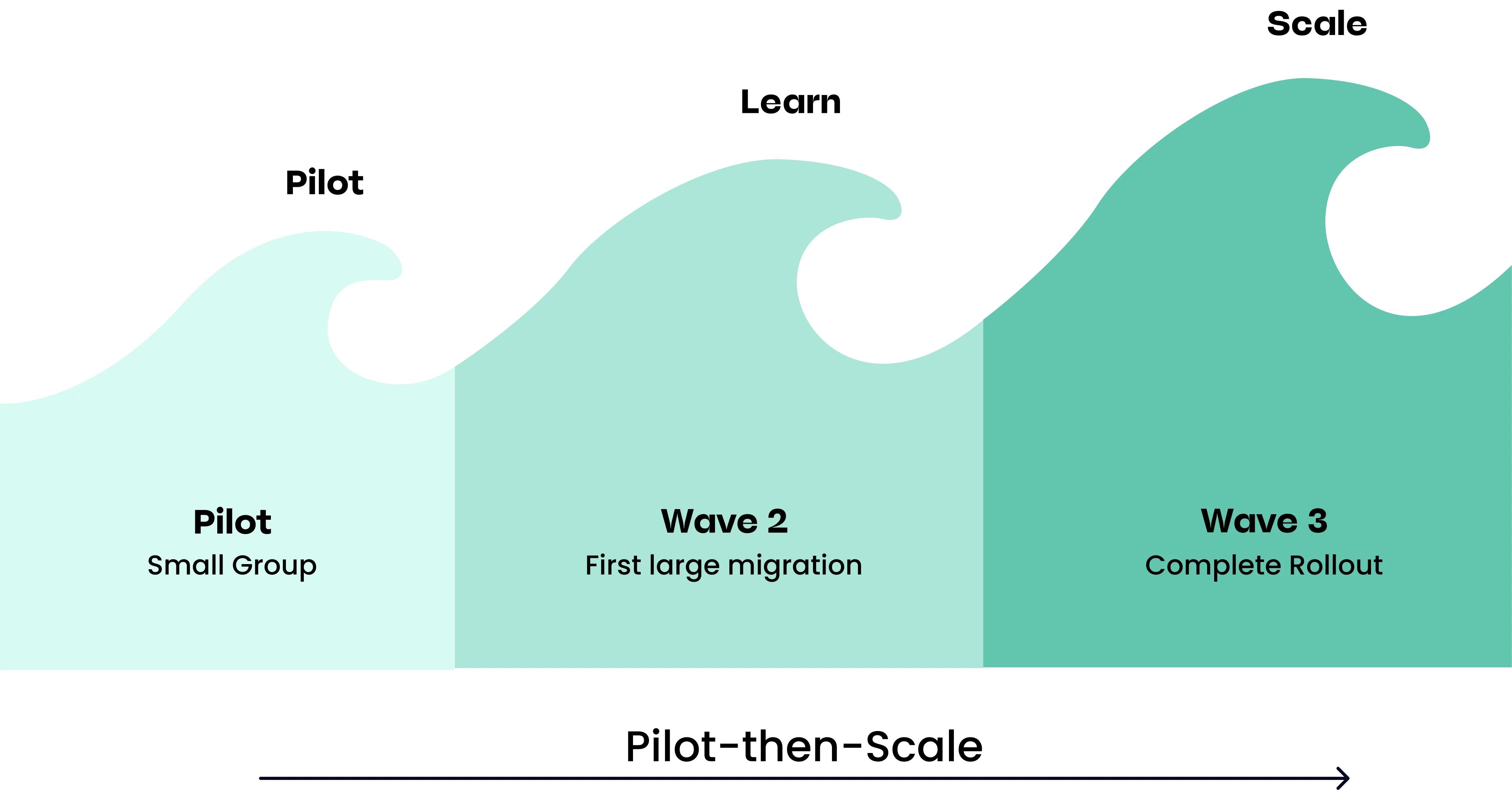
The compressed timeline isn’t right for every environment. The 2 to 6 month target is a selling point, but it’s also a qualification requirement — you need to be ready to migrate within that window. For organizations still untangling complex configurations or dependencies, that pace can push teams toward cutting corners.
The dedicated team is Atlassian’s team, not yours. The Delivery Manager, engineer, and CSM assigned to your account are Atlassian resources. They bring expertise in the migration process, but they don’t have deep context about your organization’s internal processes, business goals, or team dynamics in the way a long-term partner would.
What FastShift Covers
To be clear: FastShift can save you time and resources. You get dedicated Atlassian staff managing your migration end to end, technical support with direct escalation paths to product engineering, and post-migration adoption support from a CSM. For a core Jira and Confluence migration at scale, this is a real and substantive offering.
The gap isn’t that FastShift fails to deliver. It’s that the scope is narrower than the scale of the program might suggest.
FastShift is a lift-and-shift program: it moves your existing Data Center setup to Cloud efficiently, as-is. It’s not a phased migration framework, and it’s not designed to support organizations that want to restructure or improve their Atlassian setup along the way. Third-party apps, customizations, integrations, and strategic process redesign also sit outside that scope. Atlassian is explicit about this: those needs require a Solution Partner, at additional cost.
Alternative 1: Work With an Atlassian Solution Partner
An Atlassian Solution Partner is a certified services organization that specializes in Atlassian tools. Importantly, Atlassian itself calls out Solution Partners as the right resource for the things FastShift explicitly doesn’t cover: third-party app migrations, custom workflow refactoring, integrations, and strategic transformation.
Here’s what a partner engagement typically adds:
- App and integration coverage: A partner handles the full ecosystem, not just core Jira and Confluence. That includes evaluating Marketplace apps, managing cutover for integrations, and finding alternatives where cloud equivalents don’t exist.
- Security and compliance assessment: Partners can help you identify and address security and compliance gaps in your current setup before you migrate, and ensure those controls are in place in the new environment.
- Customization and workflow work: Partners can refactor complex configurations, rebuild custom scripts, and make sure your instance works the way you need it to in the new environment, not just that the data moved.
- Strategic transformation: If you want to redesign how your organization uses Jira or Confluence — not just replicate what you had — a partner can drive that work alongside the migration.
- Deep organizational context: Unlike an Atlassian-assigned team, a partner embeds in your organization. They understand your business goals, team dynamics, and internal constraints, and they advocate on your behalf with Atlassian.
- Ongoing relationship: The engagement doesn’t end at go-live. A partner can help you optimize continuously as your needs evolve and as Atlassian releases new capabilities.
The tradeoff is cost. A solution partner engagement isn’t free. For organizations whose migrations are complex, though, the cost of getting it wrong usually outweighs the cost of getting it right the first time.
Alternative 2: Self-Service Migration with Atlassian’s Free Tools
Since FastShift requires 1,000 or more seats, it’s not available to every organization. For teams that don’t qualify, Atlassian’s free migration tooling — the Jira Cloud Migration Assistant and Confluence Cloud Migration Assistant — is available to any customer and provides a viable self-service path.
This tends to work well when you have:
- A smaller team with a relatively simple Jira or Confluence setup
- Few or no third-party Marketplace apps
- Internal technical resources with solid Atlassian experience
- No complex custom workflows, scripts, or integrations
If that describes your environment, self-service can get the job done. Atlassian’s tooling is capable, the documentation is thorough, and you’ll save on services costs.
The honest caveat: this path requires real time and internal expertise. If your team is already stretched, or if your Atlassian environment has grown organically over the years in ways that feel hard to untangle, a self-service migration can quickly become a longer project than expected.
Alternative 3: Combine FastShift with a Solution Partner
FastShift and a Solution Partner aren’t mutually exclusive. In fact, Atlassian’s own program documentation points to Solution Partners as the right resource for the work that falls outside FastShift’s scope. The two are designed to complement each other.
In practice: you enroll in FastShift and get the dedicated Atlassian team managing your core migration. Your Solution Partner handles everything else: Marketplace app migrations, integrations, an in-depth change management process, workflow refactoring, advocating for your goals with Atlassian, and strategic transformation. Each covers what the other doesn’t.
If you’re considering this route, we recommend bringing in a solution partner early, or when you are experiencing frustrations with the FastShift program. A good partner will know how to coordinate with your FastShift Delivery Manager rather than duplicate effort.
How to Choose the Right Path
A few questions that tend to clarify the decision:
How complex is your environment? If you’re running more than a handful of Marketplace apps, have custom scripts or integrations, or support a large user base with varied workflows, the complexity cost of a self-managed migration rises quickly. A partner engagement starts to make more sense.
What’s your internal team’s capacity? Cloud migrations take significant time and focus. If your IT team is already managing other priorities, offloading execution to a partner protects your bandwidth and reduces the risk of a migration that drags on.
What does your timeline look like? If you’d like to migrate before the Data Center end-of-life deadline or have a strategic initiative with a firm date, having expert execution reduces the risk of delays or a rushed go-live.
What do you want to get out of the migration? If you want to use the move to cloud as an opportunity to improve your Atlassian setup, not just replicate your existing configuration in a new environment, a partner can help you do that. FastShift gets you moved. A partner helps you get more out of where you land.
If you want a clearer picture of what your migration would actually involve, our cloud migration assessment is a good starting point. We’ll help you map your environment, identify the key risks, and figure out the right path forward.