
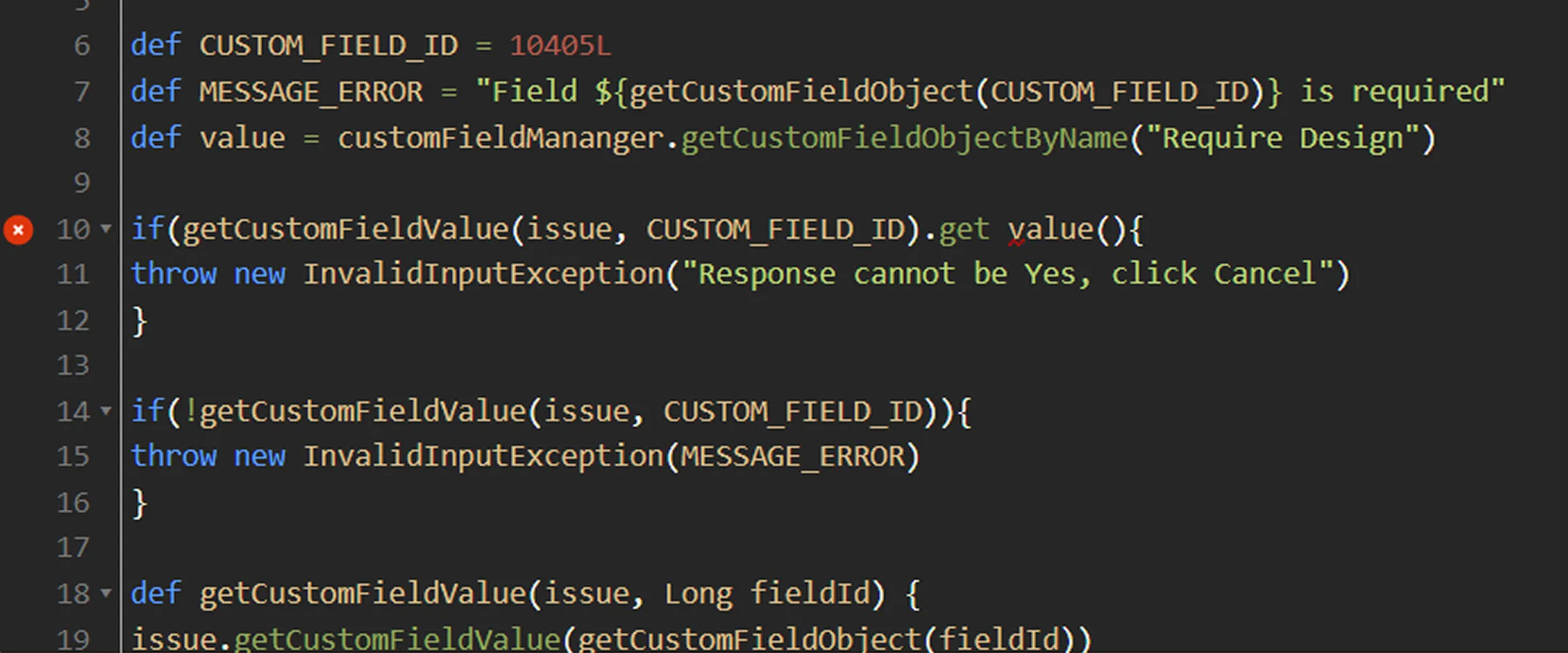
If you’ve been writing Groovy scripts on Jira Data Center — custom fields, event listeners, validators, post-functions — moving to Jira Cloud means rethinking how that logic is built. The scripting model is fundamentally different, and scripts that run perfectly today won’t transfer as-is. Here’s what every developer needs to know before migrating.
Why Your Groovy Scripts Won’t Run on Jira Cloud
The root cause is architectural, not just a version difference.
On Jira Data Center, ScriptRunner runs directly on the server and has full access to Jira’s Java API — classes like ComponentAccessor, IssueManager, UserManager, and the rest. You’re writing code that executes inside the same JVM as Jira itself. That’s what makes Groovy scripting so powerful: you’re not going through a layer of abstraction, you’re working directly with Jira’s internals.
Jira Cloud is a multi-tenant SaaS platform. There’s no server you control, no shared JVM, and no direct access to Jira internals. Atlassian exposes Jira’s functionality through a public REST API — and that API doesn’t cover everything the Java API does.
The practical implication: if your Groovy scripts call ComponentAccessor or any Jira Java class, those calls have no equivalent in Jira Cloud. You’re not just repointing code — you’re rewriting the approach entirely.
Your Three Options for Running Groovy Logic in Jira Cloud
There’s no single answer for every team. Depending on what your scripts do and how complex they are, one of these three paths will fit best.
ScriptRunner for Cloud
ScriptRunner is available for Jira Cloud, and it still supports Groovy for several features: Scripted Fields, Script Listeners, and Scheduled Jobs. If your Data Center scripts don’t call the Java API and only interact with Jira through REST, some of them may be portable to ScriptRunner Cloud with moderate effort.
That said, the platform has hard constraints you need to understand upfront:
- Scripts run within a 30-second execution timeout per API call — no exceptions
- Script Conditions no longer use Groovy; they use Jira Expressions
- Behaviours use JavaScript, not Groovy
- No
ComponentAccessor, no Java API methods, no access to internal Jira classes
The key limitation is that ScriptRunner for Jira Cloud can only do what Atlassian’s REST API allows — and that API doesn’t expose the same surface as the Java API. Think of ScriptRunner Cloud as a constrained version of what you’re used to. It’s genuinely useful, but it’s not a drop-in replacement.
What Migrates to ScriptRunner Cloud — and What Doesn’t
Before choosing a migration path for each script, run a targeted audit. The key question is: does this script call any Jira Java API classes?
If yes — it cannot run in ScriptRunner Cloud. Those scripts are Forge rewrites.
If no — if the script only makes HTTP calls or interacts with Jira through the REST API — there’s a reasonable chance it can run in ScriptRunner Cloud with some adaptation.
Groovy scripts likely to break on Cloud:
- Listeners using
ComponentAccessor.getIssueManager()or similar Java API patterns - Validators accessing user or group data via internal Jira classes
- Scripted fields reading data from internal Jira data stores
- Post-functions that manipulate workflow state using internal classes
Groovy scripts more likely to survive:
- Listeners that make outbound REST calls to external systems
- Scripted fields that compute values from existing issue fields only
- Scheduled jobs that run basic queries and send notifications
Keep in mind that even scripts in the “more likely to survive” category will need updates. The Jira Cloud REST API has a different structure from what you may have been calling internally on Data Center, and authentication is handled differently in Cloud.
Atlassian Forge
Forge is Atlassian’s cloud-native development platform and the recommended path for building custom solutions on Jira Cloud. Apps run as serverless functions on Atlassian-managed infrastructure (AWS Lambda), which means no servers to maintain and no deployment pipeline to manage yourself.
The trade-off: Forge uses JavaScript and TypeScript, not Groovy. There’s no migration tool that converts Groovy to Forge functions — you’ll be rewriting logic, not translating syntax.
What Forge covers well:
- Custom fields and field renderers
- Issue panel UI extensions
- Event listeners (the equivalent of ScriptRunner listeners)
- Scheduled jobs
- Custom JQL functions
- Webhooks and outgoing integrations
For any logic that goes beyond what ScriptRunner Cloud can support, Forge is the right destination. If you need help building custom Forge apps, Seibert Solutions can take that on for you.
Rewriting for Forge: What to Expect
Forge is not a difficult platform to work with, but it is a different paradigm. A few things to set the right expectations:
Language shift. You’re moving from Groovy (JVM-based) to JavaScript or TypeScript (Node.js 22/24). If your team has any frontend development experience, the transition will feel familiar. If your team is Java/Groovy-only, budget time for developers to get comfortable with async JavaScript patterns — Promises, async/await, and the event-driven model are all central to how Forge functions work.
Function time limits. Forge functions have a 25-second time limit. For long-running operations, you’ll need to redesign the architecture — typically using queued async events rather than synchronous processing chains.
The module system. Forge uses a manifest-based approach. Each capability — a custom field, an event listener, a UI panel — is declared as a module in your app’s manifest file. This is more structured than ScriptRunner’s editor-driven model, and it means your custom Jira logic lives in a proper codebase with version control, local testing, and environment management built in.
Rewrites take time. A ScriptRunner listener that was 50 lines of Groovy doesn’t become 50 lines of TypeScript. The Forge API, the async execution model, and the different data structures mean you’re rebuilding the logic rather than porting it. Teams that go into Forge migrations expecting a fast cut-over consistently underestimate the effort — plan accordingly. If you’re weighing whether a Forge rewrite is the right call at all, our article on Jira custom development covers that decision in more depth.
Atlassian Automation
For simpler workflows — trigger on an event, check a condition, take an action — Jira Automation handles a lot without any code at all. It’s a visual, no-code rule builder that’s surprisingly capable for straightforward use cases: transitioning issues, sending notifications, syncing fields, creating linked issues based on conditions.
Before reaching for ScriptRunner or Forge, it’s worth auditing your simpler scripts against what Automation can do natively. Teams often find that 20–30% of their Groovy scripts are solving problems that Automation handles out of the box.
A Practical Migration Approach for Jira Cloud
No single playbook fits every organisation, but these are points you should keep in mind:
- Inventory everything. List every Groovy script in your Jira instance — ScriptRunner listeners, validators, conditions, scripted fields, scheduled jobs. Include anything that runs custom logic. If you haven’t audited your broader Marketplace apps yet, our guide on auditing Marketplace apps covers that process in parallel.
- Flag Java API usage. For each script, identify whether it calls any Jira Java classes. These are guaranteed Forge rewrites — mark them clearly.
- Assess the REST-only scripts for ScriptRunner Cloud. Scripts that only use the REST API are candidates. Cross-reference against ScriptRunner Cloud’s supported feature list before committing.
- Triage by business impact. Don’t start with the most complex scripts. Start with the ones that would cause the most disruption if they broke during migration — get those stable first.
- Rewrite Java API scripts for Forge. Work through these systematically. Each rewrite is an opportunity to improve the logic — Forge’s module system encourages cleaner design than ScriptRunner’s script-per-feature approach.
- Account for Confluence. If your team also uses ScriptRunner in Confluence, the same Cloud limitations apply there. Budget for that work separately.
A phased approach beats a big-bang migration every time. Moving everything at once increases risk and puts pressure on the team; moving in stages lets you build Forge familiarity incrementally while keeping your Jira instance stable throughout.
Ready to Plan Your Migration?
Migrating Groovy scripts to Jira Cloud is absolutely doable — but the combination of a Groovy-to-JavaScript language shift, the REST-API-only constraint, and the Forge learning curve means most teams benefit from working with a partner who’s been through it before.
Seibert Solutions helps Atlassian customers plan and execute cloud migrations, from script audits and Forge development to full deployment. If you’re preparing a move to Jira Cloud and want a clear picture of what your Groovy scripts are actually going to require, get in touch with our team.