

When teams look for tools to manage work, track progress, and organize information, Jira and Airtable often come up in the same conversation—even though they were built for very different purposes. One is a heavyweight agile project management platform, the other a flexible, database-driven workspace. Understanding their differences is key to choosing the right tool for your team.
What Is Jira?
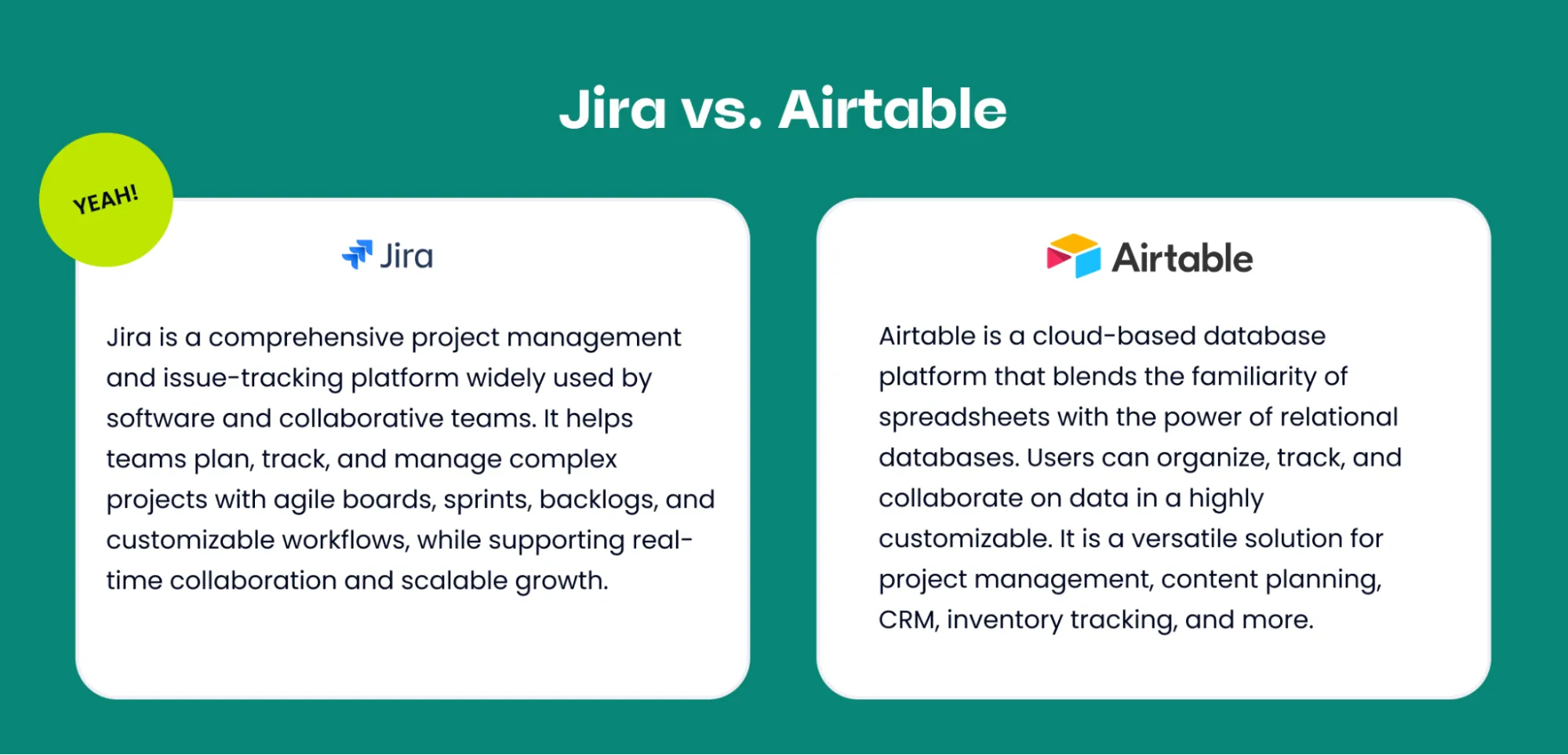
Jira, developed by Atlassian, is a powerful project management and issue tracking platform widely used by software development teams. It offers robust workflow customization, advanced reporting, and seamless integrations with development tools like Bitbucket and GitHub. Jira is designed to handle complex projects, track issues, manage agile boards, and scale with growing teams.
Key Features of Jira
- Issue and bug tracking
- Scrum and Kanban boards
- Sprint planning and backlog management
- Custom workflows and permissions
- Advanced reporting (burndown charts, velocity, cumulative flow)
- Strong integrations with developer tools (GitHub, GitLab, Bitbucket)
Strengths
Jira excels in structured environments where work moves through defined stages. It enforces process discipline and provides rich analytics for agile teams that need predictability, traceability, and accountability.
Limitations
- Steep learning curve for non-technical users
- Can feel rigid or over-engineered for simple projects
- Configuration and maintenance require time and expertise
What Is Airtable?
Airtable is a cloud-based database platform that blends the familiarity of spreadsheets with the power of relational databases. It’s designed to be flexible, visual, and accessible to both technical and non-technical users.
Key Features of Airtable
- Spreadsheet-style tables with relational links
- Multiple views (Grid, Kanban, Calendar, Gallery)
- Custom fields, formulas, and automations
- Lightweight collaboration and sharing
- Integrations with popular apps (Slack, Zapier, Google Workspace)
Strengths
Airtable shines when teams need flexibility. You can model almost any type of workflow or dataset without being locked into predefined structures. It’s easy to start, intuitive to use, and adaptable across many industries.
Limitations
- Not purpose-built for agile development
- Limited native reporting for software metrics
- Can become complex or slow with extensive datasets
Current Price Per User
Understanding the cost of Jira and Airtable on a per-user basis helps you make informed decisions for your team or organization. This section breaks down the current pricing for each individual user, providing transparency and clarity so you can plan your budget confidently.
Jira Pricing
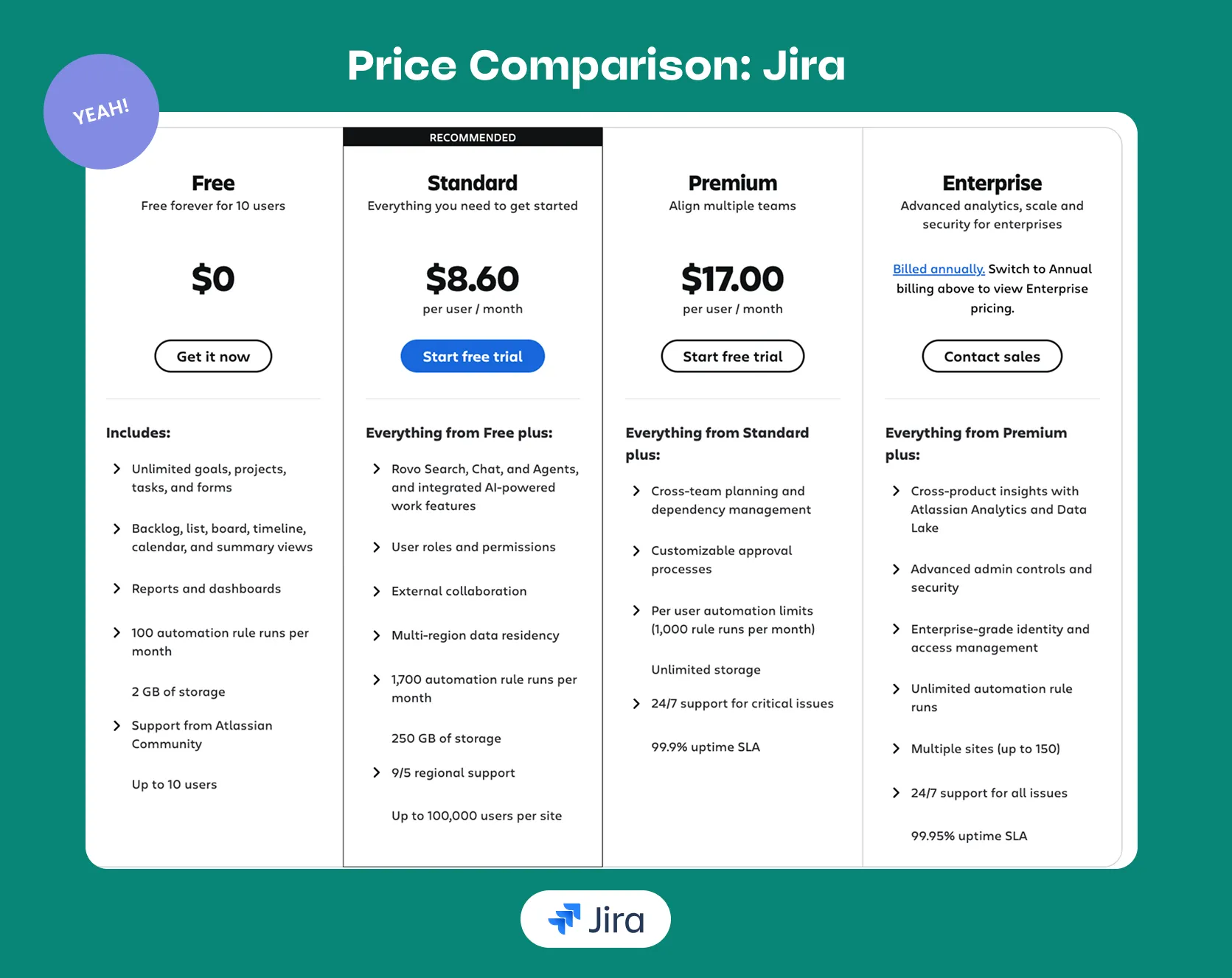
Jira offers flexible pricing options designed to support teams of different sizes. It includes a Free plan for up to 10 users, providing access to unlimited projects and basic features for small teams. For larger teams, the Standard plan starts at $8.60 per user per month (based on a team of 100 users) and includes expanded functionality for project tracking and collaboration. Jira’s Premium plan begins at $17 per user per month, offering advanced features and greater scalability, with per-user costs decreasing as team size increases.
Airtable Pricing
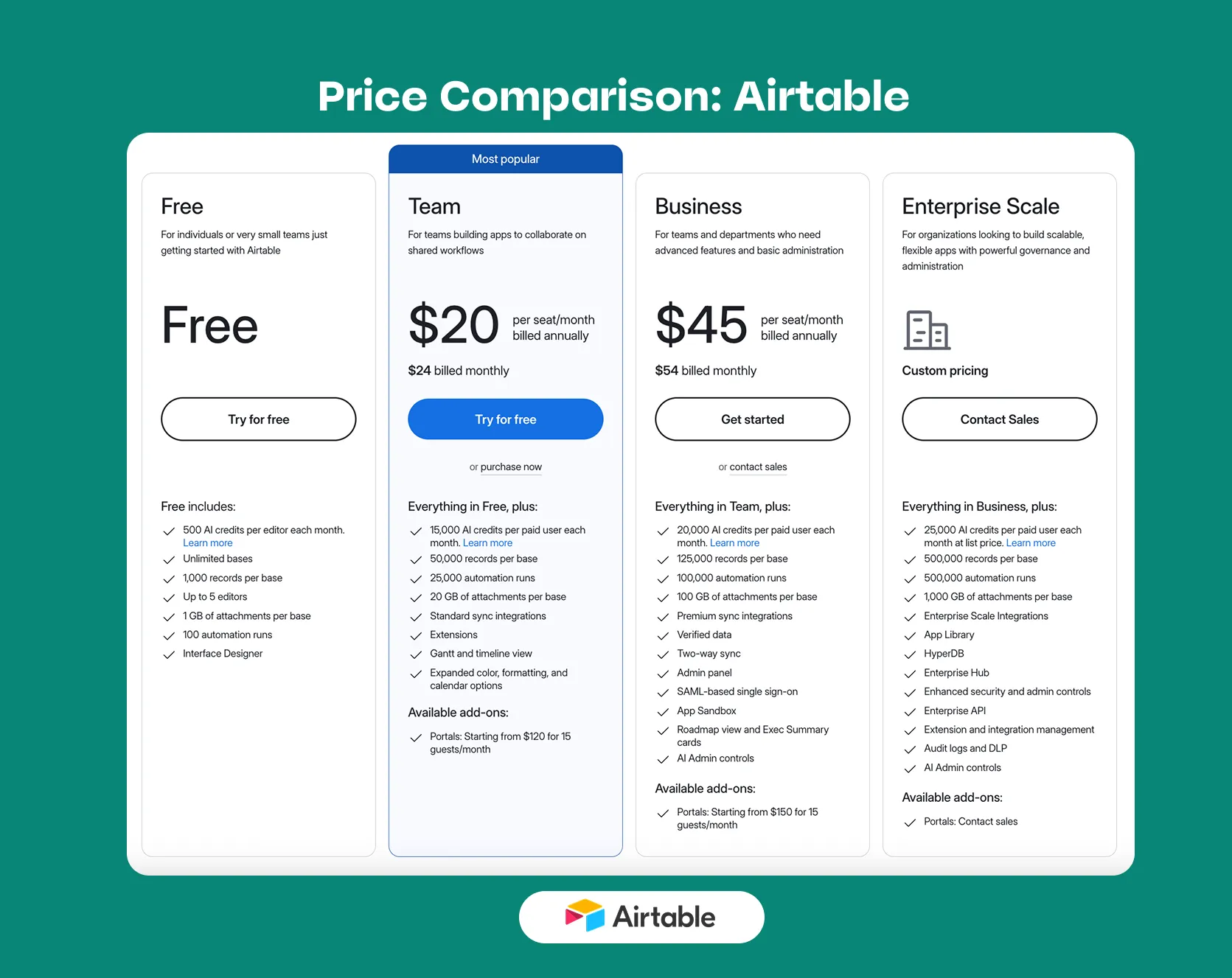
Airtable offers several pricing tiers to accommodate different team sizes and needs. Its Free plan is available at no cost and is ideal for individuals or teams just getting started. For teams that want the same core features as the Free plan but need additional capacity, the Team plan is priced at $20 per user per month when billed annually. For more advanced needs, Airtable’s Business plan costs $45 per user per month when billed annually and includes greater customization, data scale, flexibility, and administrative controls suited for departments and growing organizations. For large enterprises with more complex requirements, the Enterprise Scale plan offers custom pricing based on the organization’s size and needs.
Why Jira is Often the Better Option
Jira is often the better option than Airtable for teams that require structured workflows, advanced issue tracking, and robust agile support. While Airtable is highly flexible and ideal for general project organization, Jira is purpose-built for software development and technical project management, offering native Scrum and Kanban boards, sprint planning, and backlog management. This structure ensures that tasks, bugs, and feature requests move through clearly defined workflows, reducing ambiguity and increasing team accountability. Another advantage of Jira over Airtable is its advanced reporting and analytics. Jira provides built-in agile metrics such as burndown charts, velocity tracking, and cumulative flow diagrams, giving teams precise visibility into project progress and performance. Airtable, while versatile, lacks the same level of software-focused reporting and metric tracking.
Jira also offers deep integrations with development tools like GitHub, GitLab, and CI/CD pipelines, which makes it a natural fit for engineering teams managing complex codebases. While Airtable excels at flexibility and customization for diverse workflows, Jira’s focus on structured agile processes, scalability, and developer-oriented features often makes it the stronger choice for teams looking to deliver software predictably and efficiently.
Can Jira and Airtable Work Together?
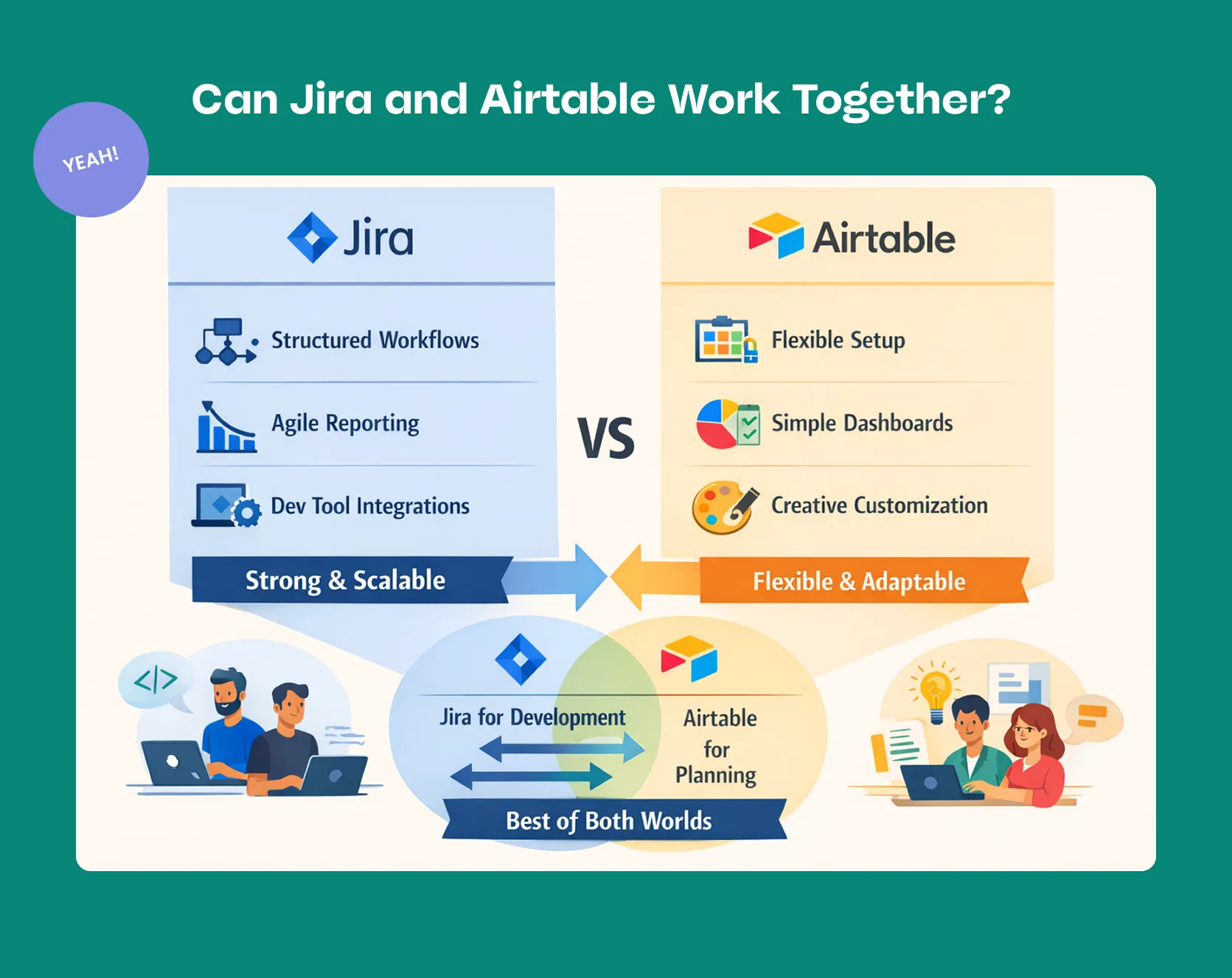
Yes. Many teams use Jira for detailed development work while leveraging Airtable for higher-level planning, reporting, or cross-team visibility. Integrations and automation tools allow issues from Jira to sync into Airtable, creating custom dashboards or stakeholder-friendly views. This hybrid approach combines Jira’s structured execution power with Airtable’s flexibility, giving organizations the best of both worlds: rigorous project tracking alongside adaptable planning and reporting.
The Right Choice
Jira and Airtable are not direct competitors—they solve different problems. Jira is a specialized tool for disciplined agile execution, while Airtable is a general-purpose platform for organizing and visualizing information. The right choice depends on your team’s maturity, workflow complexity, and need for structure versus flexibility. In some cases, the most brilliant move isn’t choosing one over the other—but knowing how to use both effectively. Need advice? Atlassian Partners can guide you through setup, migration, and customization—ensuring your team gets the most from Jira’s powerful capabilities.