

Choosing the proper documentation and collaboration tools is crucial for knowledge sharing, productivity, and team alignment. Two popular solutions - Confluence and Google Docs - serve different but sometimes overlapping purposes. Understanding their strengths, limitations, and pricing will help you determine which platform best supports your documentation needs.
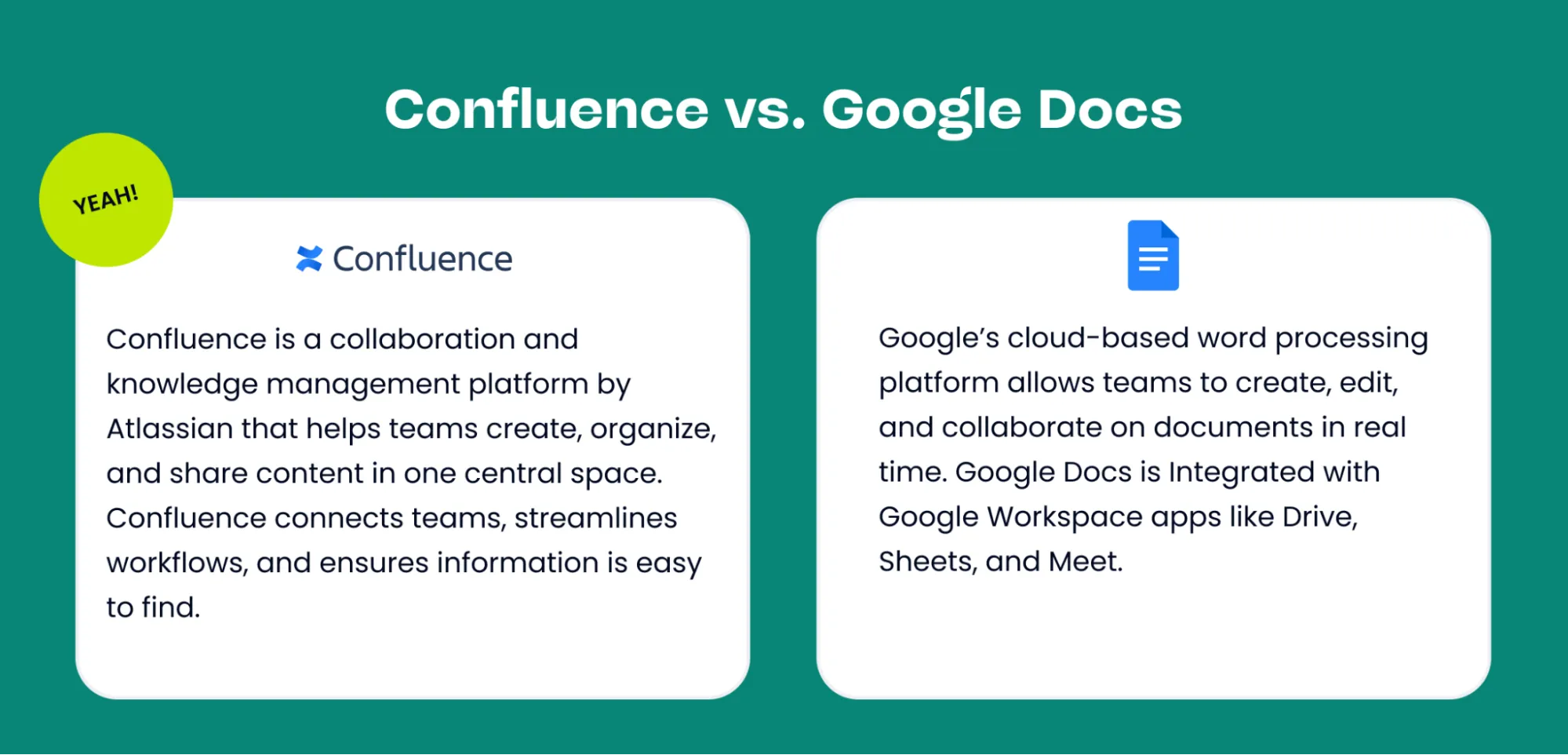
What is Confluence?
Confluence, by Atlassian, is more than a document editor. It’s a knowledge management platform and collaboration hub where your team’s work lives in one place.
Key advantages of Confluence include:
- Dedicated Spaces for teams, projects, and company-wide content.
- Page tree hierarchy for structured organization and navigation.
- Open by default content with flexible permission controls.
- Advanced search and labels to keep information discoverable.
- Over 100 templates tailored for HR, IT, marketing, product, and more.
- Deep integrations with Jira, Trello, Slack, and 3,000+ other apps.
- Visual collaboration with built-in whiteboards, roadmaps, and macros.
Confluence serves as a single source of truth, making it an ideal choice for organizations seeking to align projects, processes, and people within a single, connected workspace.
What is Google Docs?
Google Docs, part of the Google Workspace suite, is a cloud-based word processor known for its simplicity and real-time collaboration. It allows multiple users to edit documents simultaneously, comment, suggest changes, and share files quickly.
Google Docs excels at:
- Quick document creation
- Team brainstorming
- Collaborative writing and editing
- Lightweight documentation
It’s highly accessible and ideal for teams that need fast, intuitive collaboration without complex structure or organization.
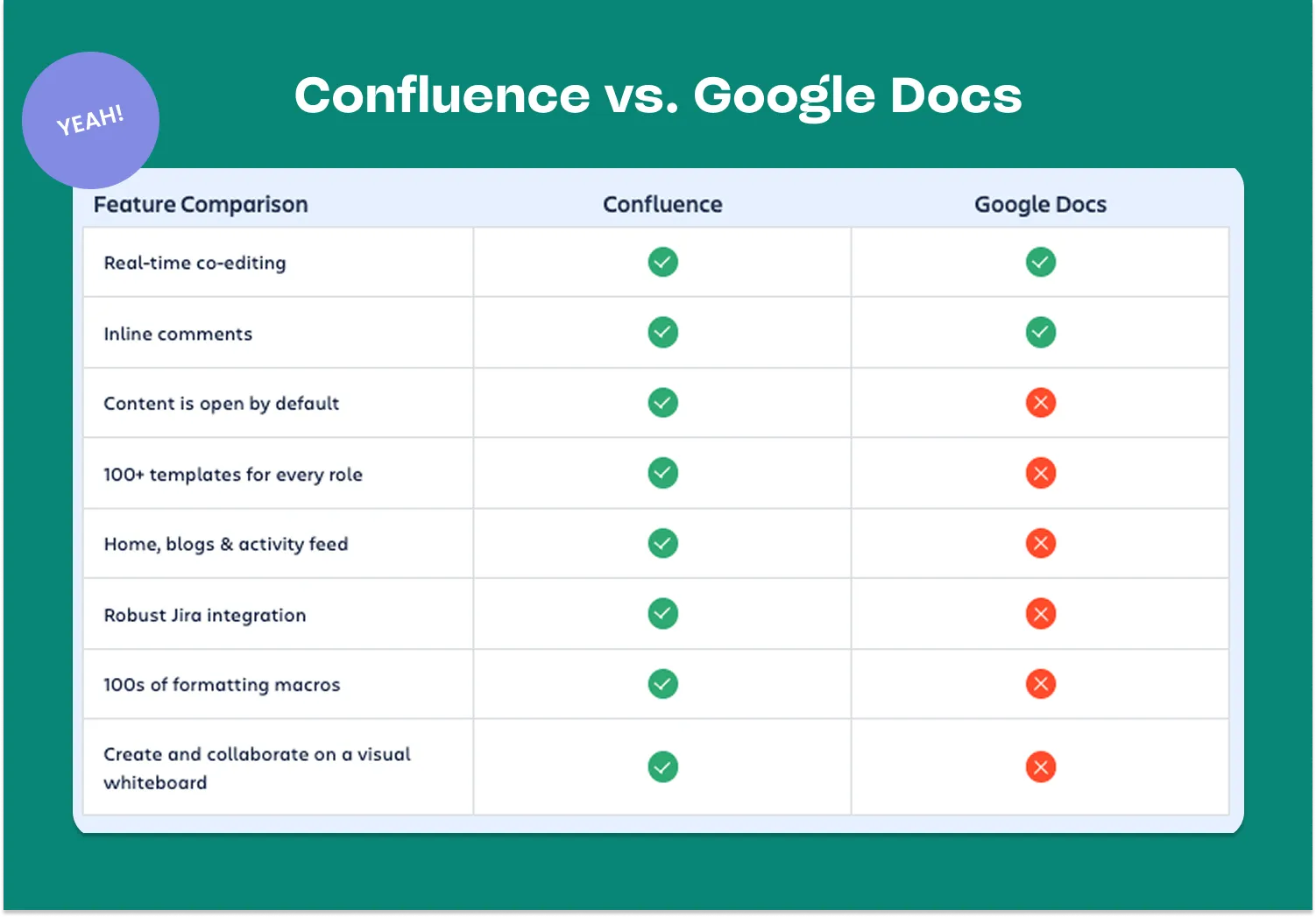
Current Price Per User
Understanding the cost of Confluence and Google Docs on a per-user basis helps you make informed decisions for your team or organization. This section breaks down the current pricing for each individual user, providing transparency and clarity so you can plan your budget confidently.
Confluence Pricing
Confluence offers tiered pricing based on features and team size:
- Free: Up to 10 users, 2 GB storage, basic page creation
- Standard: ~$6 per user/month — advanced permissions, 250 GB storage
- Premium: ~$12 per user/month — analytics, automation, advanced admin controls
- Enterprise: Custom pricing — unlimited storage, enterprise-grade security, and compliance
Confluence’s value grows when used alongside other Atlassian tools, such as Jira and Trello.
Google Docs Pricing
Google Docs is included with most Google Workspace subscriptions:
- Business Starter: $6 per user/month — Docs, Sheets, Drive (30 GB storage)
- Business Standard: $12 per user/month — Docs + expanded Drive storage + collaboration features
- Business Plus: $18 per user/month — enhanced security, more storage
- Enterprise Plans: Custom pricing
Because Docs is bundled with Workspace, it’s a cost-effective choice for teams already using Gmail, Drive, and other Google apps.
Key Differences Between Confluence and Google Docs
-
Structure vs Flexibility Confluence: Highly structured documentation with spaces, pages, hierarchies, and templates. Google Docs: Freeform documents without built-in structure or navigation.
-
Collaboration Style Confluence: Supports collaboration but is best suited for asynchronous documentation and long-term storage. Google Docs: Real-time co-editing is smoother and more intuitive.
-
Search & Organization Confluence: Powerful search, tagging, labels, and hierarchical navigation. Google Docs: Search is good, but organizing documents across Drive can become messy.
-
Integrations Confluence: Deep integrations with Jira, Trello, Bitbucket, Slack, GitHub. Google Docs: Integrates seamlessly with Google Workspace apps; third-party integrations are more limited.
-
Templates & Documentation Features Confluence: Robust templates (PRDs, meeting notes, technical docs) and macros for dynamic content. Google Docs: Basic templates suited for simpler documents.
-
Permissions & Governance Confluence: Granular permissions, admin controls, page restrictions. Google Docs: Simple sharing settings with fewer admin options.
-
Scalability Confluence: Ideal for company-wide knowledge bases and long-term documentation. Google Docs: Works best for individual files or small teams needing quick collaboration.
Which Should You Choose?
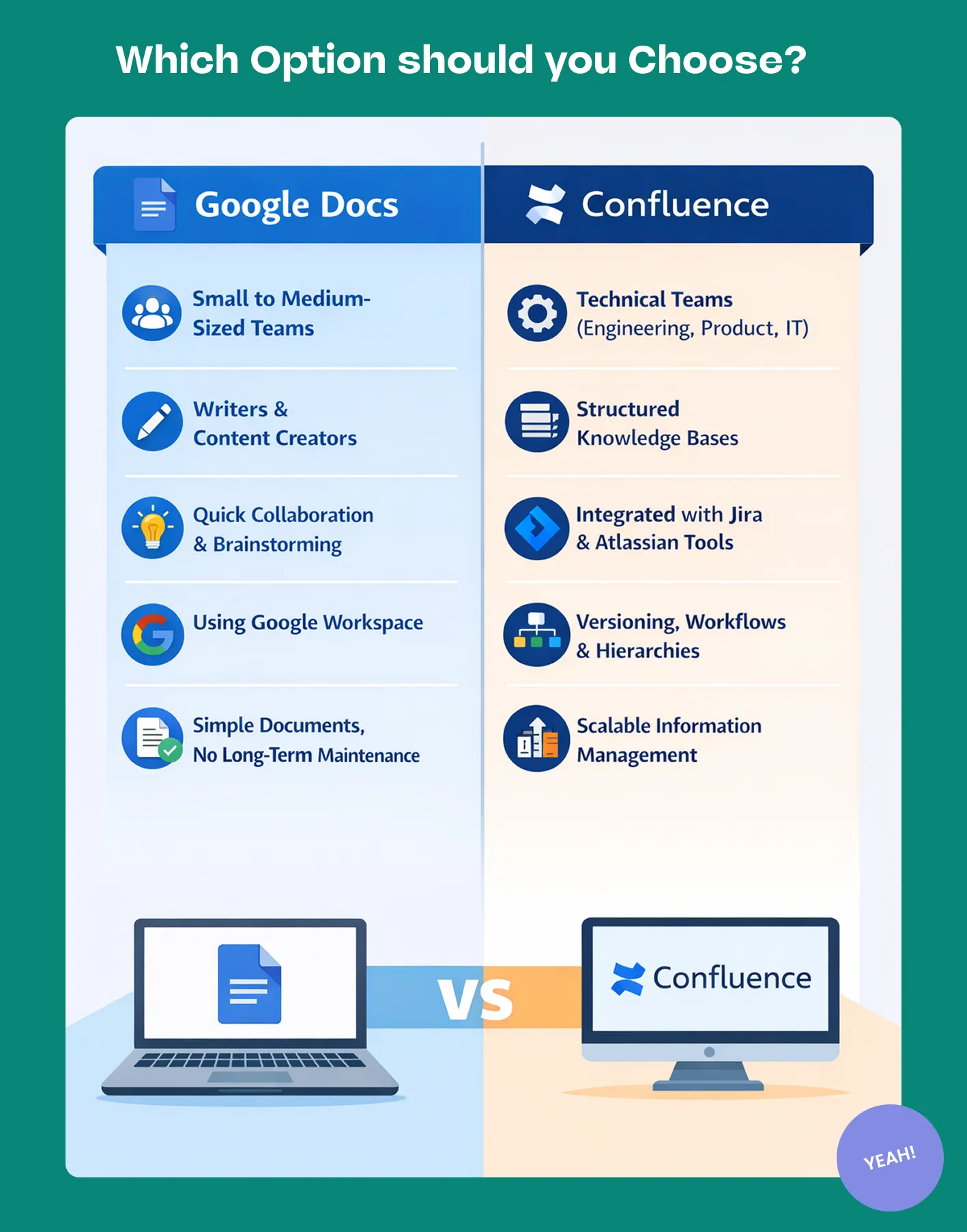
Google Docs is best for:
- Small to medium-sized teams
- Writers and content creators
- Quick collaboration and brainstorming
- Teams are already using Google Workspace
- Simple documents without long-term maintenance needs
Confluence is best for:
- Technical teams (engineering, product, IT)
- Organizations building a structured knowledge base
- Teams using Jira or other Atlassian tools
- Documentation that needs versioning, workflows, and hierarchy
- Growing companies require scalable, organized information management
Why Confluence is Often the Better Option
While Google Docs excels at fast, real-time collaboration, Confluence is often the long-term winner for teams that need scalable, organized documentation. Here’s why:
- Structured Knowledge Management: Confluence creates a central source of truth with organized spaces, pages, and navigation—something Google Docs cannot replicate.
- Integration with Jira & Atlassian Tools: Teams can link Jira issues, embed roadmaps, track requirements, and automate workflows.
- Templates and Documentation Standards: Confluence helps standardize documentation across departments using customizable templates and macros.
- Scalability for Growing Teams: As organizations expand, Confluence keeps documentation structured rather than scattered across hundreds of Docs.
- Advanced Permissions & Governance: Admin controls ensure the right people see the right content—critical for large teams and regulated industries.
Choosing the Right Option
Both Confluence and Google Docs are great collaboration tools, but they serve different needs. Google Docs is simple, fast, and cost-effective for everyday writing and collaboration. However, for teams that require formal documentation, structured knowledge-sharing, and integration with development or project management tools, Confluence is often the better long-term solution. Its scalability, organization, and integration ecosystem make it ideal for building a reliable knowledge hub for teams of all sizes. Need advice? Atlassian Partners can guide you ensuring your team gets the most powerful capabilities.