

Updated
Choosing the right Jira Service Management (JSM) plan is a critical decision for IT and operations teams. Each tier—Standard, Premium, and Enterprise—offers a different level of capability depending on your team’s size, complexity, and requirements. Standard provides a reliable foundation with essential ITSM tools, Premium builds on that with AI-powered automation and unlimited incident handling, and Enterprise adds advanced scalability, governance, and dedicated support. Understanding how these plans compare will help you decide which version aligns best with your organization’s needs.
Want a recommendation for your agent count right away? Our Jira Service Management licensing guide has a plan picker that suggests a plan based on what you need.
You Buy Jira Service Management Through Service Collection
Atlassian now sells Jira Service Management Cloud only as part of Service Collection. Every Service Collection license includes Jira Service Management, Customer Service Management, Assets and Rovo, and the apps can’t be bought separately. The plans in this article (Standard, Premium and Enterprise) are Service Collection plans.
Licensing works the way it always has for JSM: you pay per agent, the people who work on requests. Portal customers who submit requests don’t need a license. Read our overview of Service Collection for what’s in each app.
Comparison Chart
| Standard | Premium | Enterprise | |
|---|---|---|---|
| Agents | Up to 100,000 | Up to 100,000 | Usually 801 to 100,000 |
| Sites | 1 | 1 | Up to 150 |
| Support | Business hours | 24/7 Premium support | 24/7 Enterprise support |
| Uptime SLA | None | 99.9% | 99.95% |
| Automation | 3,000 steps per agent per month | 6,500 steps per agent per month | 9,500 steps per agent per month |
| Rovo credits | 250 per agent per month | 700 per agent per month | 1,500 per agent per month |
| Assets objects | 5,000 | 50,000 | 500,000 |
| Audit logs and data residency | Yes | Yes | Yes |
| Change management | No | Yes | Yes |
| Virtual service agent | No | Yes | Yes |
| Advanced incident management and AIOps | No | Yes | Yes |
| SSO and user provisioning | With an Atlassian Guard subscription | With an Atlassian Guard subscription | Included |
| Billing | Monthly or annual | Monthly or annual | Annual |
Source: Atlassian, Service Collection pricing, checked October 2026.
Current Price Per User
Service Collection is priced per agent per month, and the price per agent drops as your agent count grows. Customers who use the portal are free. Enterprise is usually an option from 801 agents and is billed annually. Check out Atlassian’s official pricing page for up-to-date pricing.
Differences in Cloud Plan
Standard
AI and Automation
Standard includes core automation with 3,000 automation steps per agent per month. These rules reduce repetitive tasks and keep service workflows moving. Standard also includes Rovo search, chat and agents, with 250 Rovo credits per agent per month, but advanced AI features such as the virtual service agent and AIOps start on Premium.
Incident and Change Management
Teams on Standard can manage unlimited alerts, with alert data retained for one year. Up to 100 major incidents can be tracked each month. Change management, with approvals and risk assessments, starts on Premium, so Standard suits straightforward service operations.
Asset and Configuration Management
Standard includes asset and configuration management for up to 5,000 Assets objects, so smaller teams can track assets and see dependencies without an external tool.
Security and Administration
Standard supports up to 100,000 agents per site with 250 GB of storage. It includes 9/5 regional support but no uptime SLA, along with audit logs and data residency. Administrative features are limited compared to higher tiers, and enterprise-grade controls like sandbox environments, IP allowlisting, and release tracks are not available.
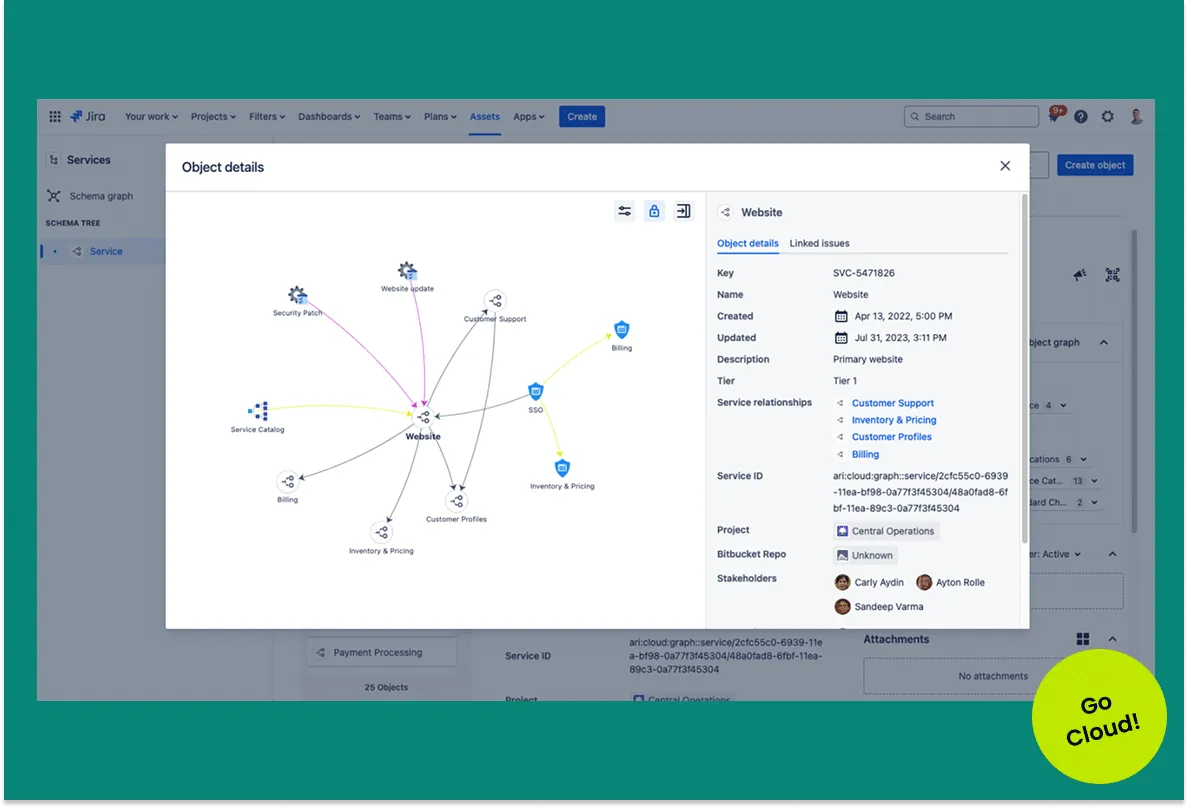
See the relationships between your assets in a dependency map inside JSM
Premium.
Premium
AI and Automation
Premium expands automation to 6,500 automation steps per agent per month, raises Rovo to 700 credits per agent per month, and introduces advanced AI. The Virtual Agent handles up to 12,000 assisted conversations per year, resolving common issues without human involvement. AIOps powers advanced incident management by grouping alerts, prioritizing critical issues, and automatically drafting post-incident reviews.
Incident and Change Management
Premium removes the cap on major incidents, supports unlimited postmortems, and retains incident data for three years. Teams gain access to incident templates, automatic incident creation, and enhanced change management with deployment gating, automated workflows, and a visual change calendar.
Asset and Configuration Management
Premium includes a service and asset repository capable of tracking 50,000 objects, with the option to expand further. It also offers asset discovery, dependency mapping, and infrastructure health analysis—features that help teams reduce risk and improve visibility. See how teams run Assets as a working CMDB, or how we set up IT asset and configuration management in JSM.
Security and Administration
Premium provides unlimited storage, a 99.9% uptime SLA, and 24/7 support for critical issues. Enterprise-focused tools like IP allowlisting, sandbox environments for safe testing, and release tracks for managing cloud updates are included. These features make Premium a strong fit for organizations operating at scale.
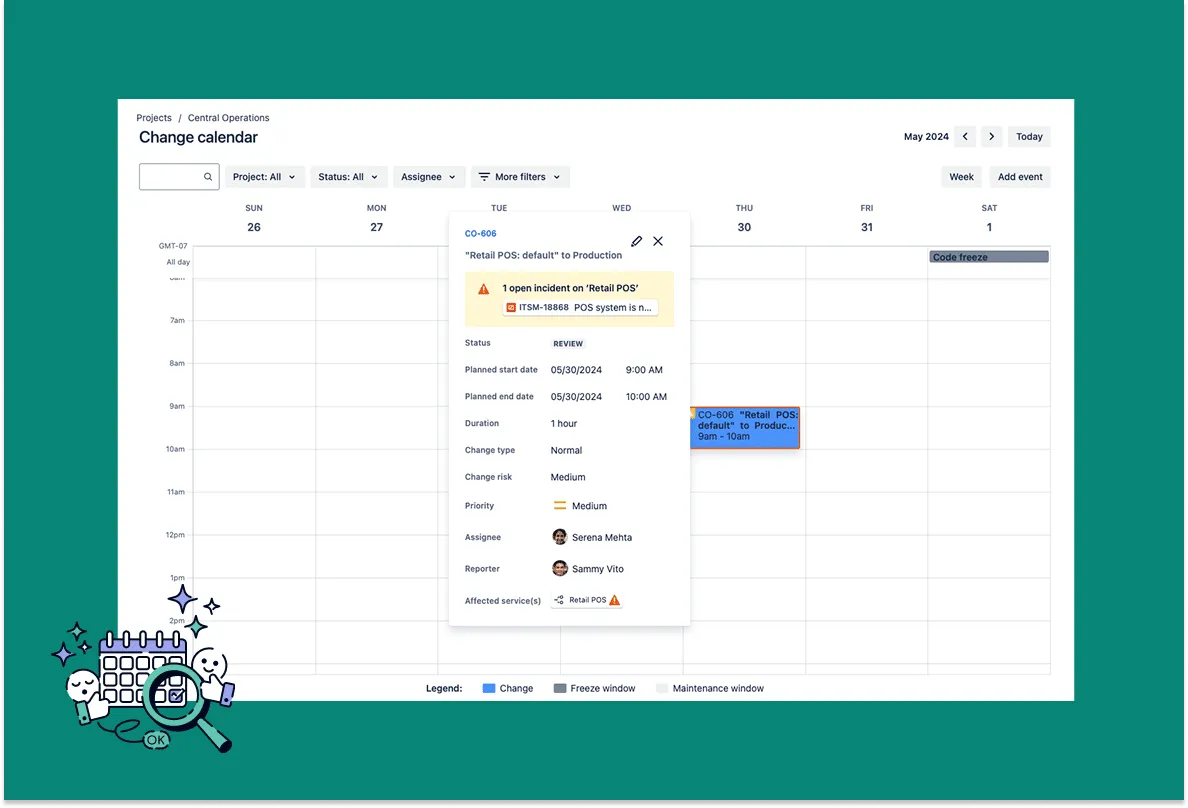
Change calendar inside of Jira Service Management shows upcoming changes,
freeze and maintenance windows.
Enterprise
AI and Automation
Enterprise raises automation to 9,500 automation steps per agent per month. Like Premium, it includes the Virtual Agent and advanced AIOps, but adds higher thresholds with more AI credits per user (1,500 Rovo credits per agent per month) and a larger pool of indexed objects.
Incident and Change Management
Enterprise mirrors Premium’s unlimited incident handling but extends retention to five years. It also supports advanced incident escalation options through manual, automated, and API-driven processes. Change management includes all Premium features, with added resilience for high-scale operations across multiple sites.
Asset and Configuration Management
Enterprise offers the same powerful asset management as Premium, with discovery, dependency mapping, and infrastructure analysis, but raises the limit to 500,000 objects and makes these features available across multiple sites. Enterprise also adds advanced data management and governance, giving teams greater control over asset data.
Security and Administration
Enterprise is designed for organizations with the highest governance needs. It includes multiple sites (up to 150), unlimited storage, and a 99.95% uptime SLA. Support is provided 24/7 by a dedicated senior team, ensuring faster resolution across all issues. Enterprise also includes Atlassian Guard Standard, providing single sign-on, SCIM provisioning, multiple identity providers, and external customer SSO without requiring an additional subscription. For large-scale global operations, Enterprise delivers unmatched stability, compliance, and administrative oversight. Read how Atlassian Guard licensing works if your other apps aren’t on Enterprise.
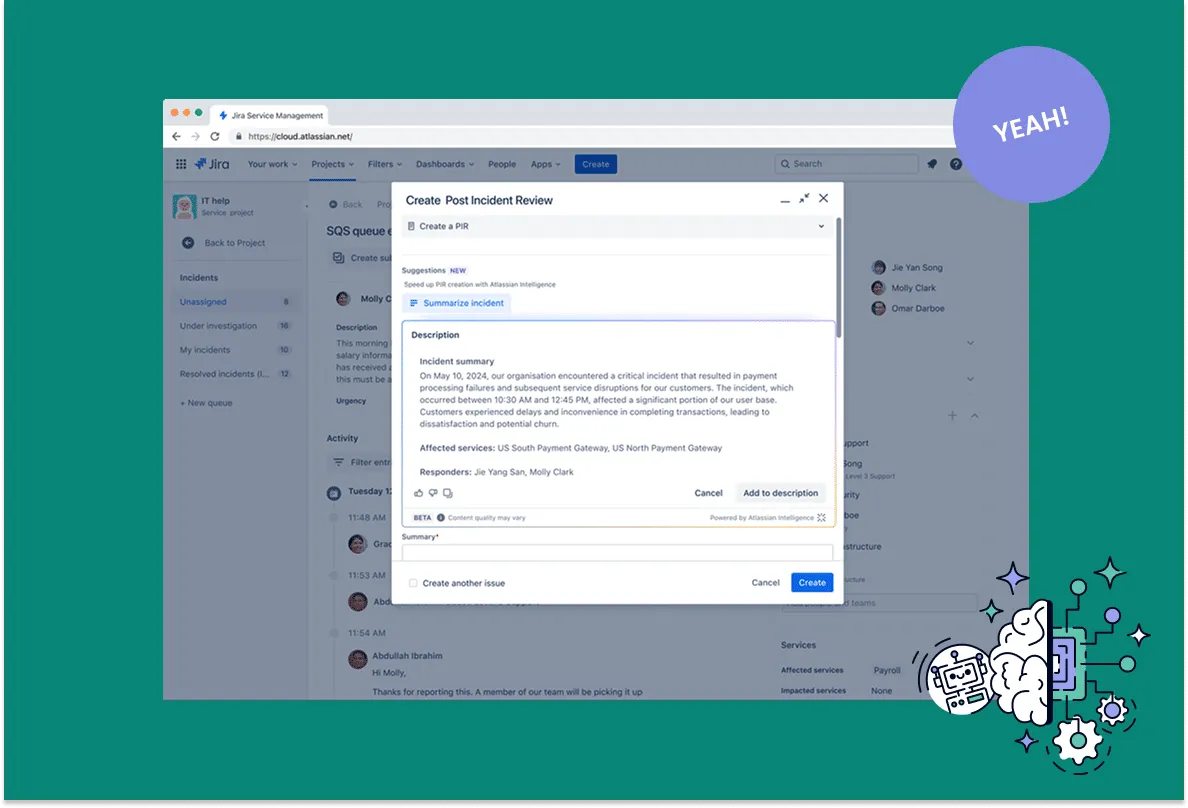
AI suggests an incident summary to accelerate the PIR process
Which Jira Service Management Plan is Best for Your Company?
For small to mid-sized teams with straightforward needs, Standard offers an affordable entry point with reliable ITSM features and automation. Premium is best suited for organizations that are scaling quickly, managing high incident volumes, or requiring advanced AI, asset management, and stronger SLAs. Enterprise is ideal for large, global organizations that need multiple sites, advanced security, dedicated support, and long-term data retention.
Standard
Small to mid-sized teams with straightforward needs
- Reliable ITSM features and automation
- 5,000 Assets objects
- Business-hours support
Premium
Organizations scaling quickly
- High incident volumes and AIOps
- Change management and 50,000 Assets objects
- 24/7 support and a 99.9% SLA
Enterprise
Large, global organizations
- Up to 150 sites
- Atlassian Guard included
- 99.95% SLA and five-year incident retention
When Should You Upgrade Plans?
Teams often start on Standard and upgrade to Premium once they encounter limits around automation, incident handling, or asset visibility. Moving to Enterprise makes sense when governance, compliance, and global scale become essential—especially for organizations with thousands of agents, multiple sites, or strict uptime requirements.
Using JSM beyond IT, for HR, facilities or legal? Read how enterprise service management works on the same agent licenses. Comparing plans for your other Atlassian apps too? See our Jira Cloud plans comparison.
Jira Service Management Plans: Frequently Asked Questions
Can you still buy Jira Service Management on its own?
Can you still buy Jira Service Management on its own?
No. Atlassian sells Jira Service Management Cloud only as part of Service Collection, which also includes Customer Service Management, Assets and Rovo. You license it per agent.
Do portal customers need a license?
Do portal customers need a license?
No. Only agents, the people who work on requests, need a license. Customers who submit requests through the portal, email or chat are free and unlimited.
Is Rovo included in Jira Service Management Standard?
Is Rovo included in Jira Service Management Standard?
Yes. Every paid plan includes Rovo search, chat and agents. Standard comes with 250 Rovo credits per agent per month, Premium with 700 and Enterprise with 1,500.
Is Assets included in Standard?
Is Assets included in Standard?
Yes. Standard includes 5,000 Assets objects, Premium 50,000 and Enterprise 500,000. Above that, Atlassian bills extra objects per month.
Speak with an Atlassian Partner to See Which Plan is Right for Your Team
If you’re weighing Standard, Premium, or Enterprise, an Atlassian Partner can help you compare costs, test features, and plan for future growth. At Seibert, our experts provide tailored recommendations based on your team’s size, complexity, and goals.