

When you create a new project in Jira, you’re faced with an important decision right away: Team-Managed or Company-Managed?
Both project types offer the core Jira functionality you know and love, but they differ dramatically in how they’re configured, maintained, and scaled. At Seibert Media, we work with organizations of all sizes, and this choice is one of the most common points of confusion—so let’s break it down clearly and practically.
What Are Team-Managed and Company-Managed Projects?
Jira offers two project types:
- Team-Managed (formerly Next-Gen)
- Company-Managed (formerly Classic)
They aren’t better or worse than each other—they’re simply built for different needs.
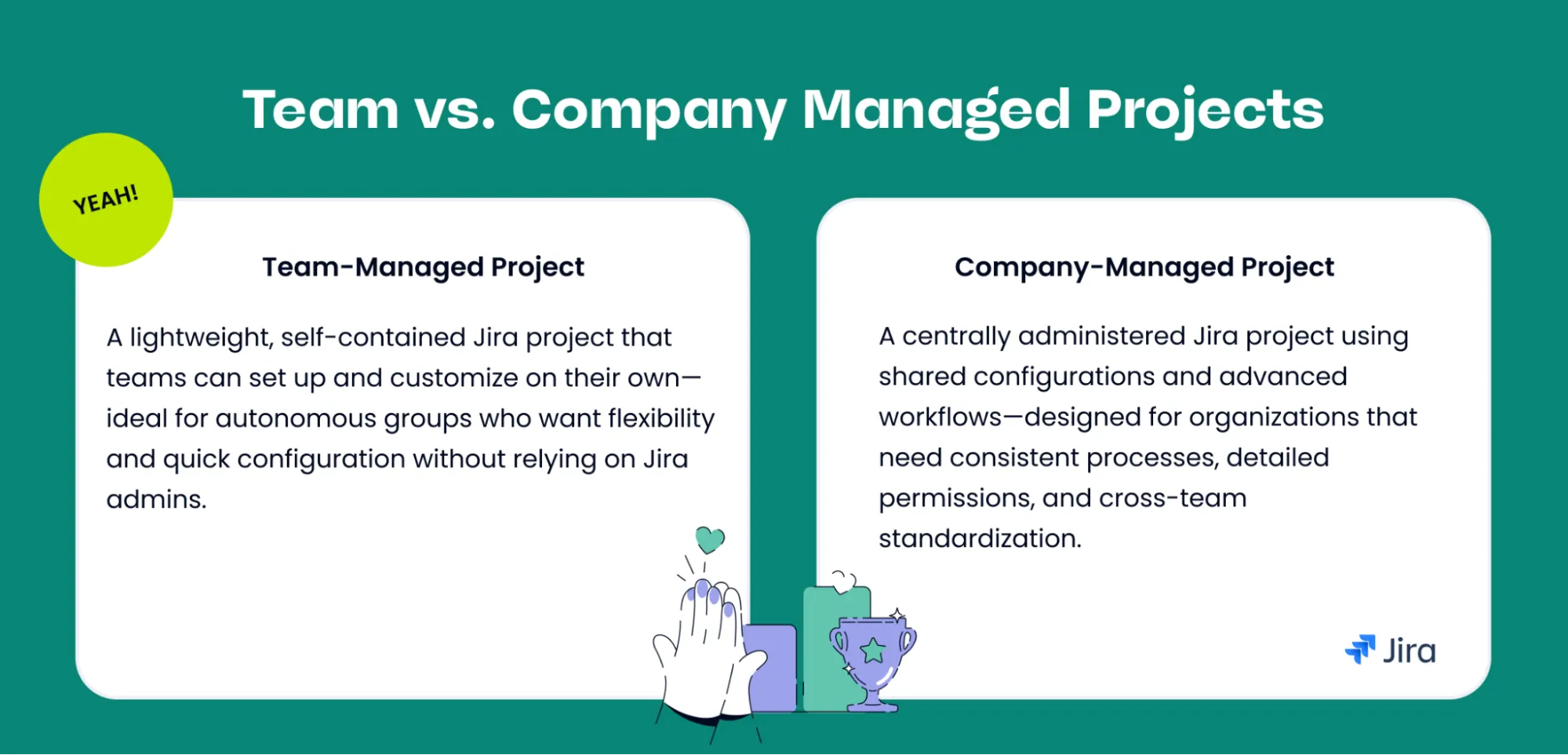
Team-Managed Projects
Empowered teams. Simplified setup. Faster starts.
Team-Managed projects are designed for autonomous teams who want full control over their own space—without waiting for a Jira admin. If your team likes to work independently, experiment with workflows, or quickly adapt processes, this setup will feel natural.
Key Characteristics
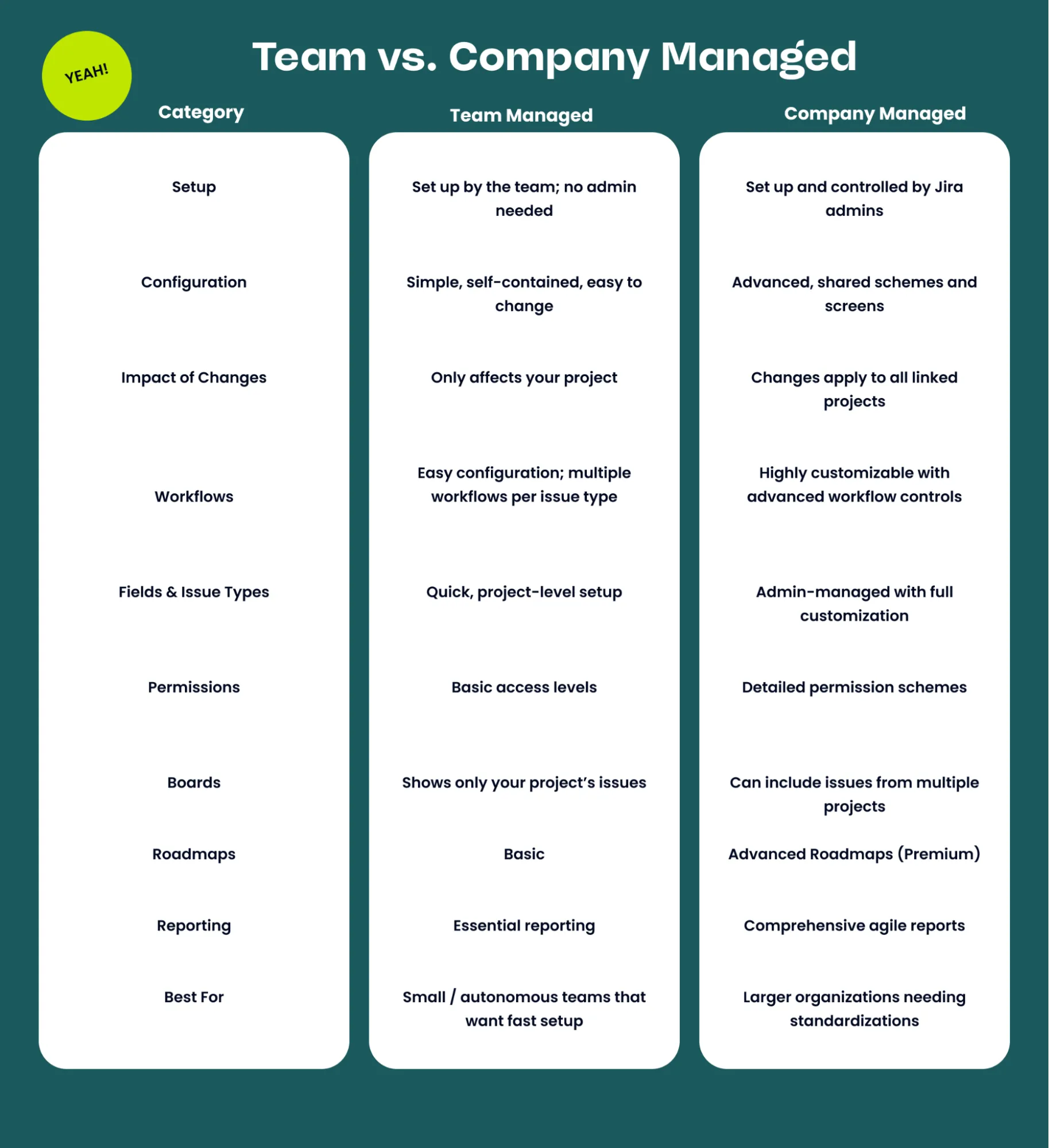
- Set up and maintained by anyone on the team - No need to wait for Jira administrators.
- Simplified configuration - Create workflows, fields, and issue types directly in the project.
- Self-contained settings - Changes stay inside your project and won’t affect anyone else.
- Multiple workflows across issue types
- Basic roadmaps, essential agile reporting, and a clean modern UI.
- Boards show only your project’s issues—ideal for focused teams.
Ideal for
- Small, agile teams
- Teams experimenting with processes
- Projects that need to start fast
- Environments without centralized governance
Pros
- Quick setup with minimal admin involvement
- Great flexibility for teams to adjust and evolve
- Lower complexity—no need to understand Jira’s scheme architecture
Cons
- Can be hard to scale across many teams
- Lots of custom fields and unique workflows may become messy over time
- When migrating to a Company-Managed project, custom fields must be recreated by an admin
Company-Managed Projects
Governance at scale. Standardized processes. Enterprise control.
Company-Managed projects are the traditional, admin-configured projects most enterprises rely on. They’re built around shared configurations, which makes it easier to maintain consistency across teams and projects.
Key Characteristics
- Set up and maintained by Jira admins
- Uses Jira schemes (workflows, screens, permissions, fields)
- Standardized configuration across multiple projects
- Advanced workflow customization (validators, conditions, transitions)
- Detailed permission schemes for maximum control
- Supports Advanced Roadmaps (with Premium)
- Boards can pull in issues from other projects
Ideal for
- Larger organizations
- Teams working closely across many projects
- Regulated industries or compliance needs
- Environments that require consistent processes
Pros
- Consistency across teams and projects
- Centralized workflow and configuration management
- Powerful customization options
- Easier reporting across standardized structures
Cons
- Requires Jira admin involvement for structural changes
- More complex configuration
- Adjustments can affect every project using that scheme
- Migrations have limitations—for example, sprint data does not move to team-managed projects
How to Choose the Right Project Type
Your choice really comes down to where configuration happens:
- Team level → Team-Managed
- Organization/admin level → Company-Managed
Choose Team-Managed if:
- Your team wants to get started quickly
- You prefer a self-contained space
- You don’t need advanced workflow or permission features
- You want teams to experiment or customize freely
Choose Company-Managed if:
- You want standardized workflows across many teams
- You need consistent reporting or governance
- You require advanced configuration options
- You’re scaling Jira across a larger organization
Can You Migrate Between Project Types?
Yes—but with some considerations.
Migration is often helpful when:
- A team outgrows its Team-Managed project
- Your organization launches new governance standards
- You need more autonomy than a Company-Managed project allows
Important migration notes:
- Custom fields from Team-Managed projects must be recreated by a Jira admin in the Company-Managed project
- Sprints do not migrate from Company-Managed → Team-Managed (Issues move, but sprint structure does not)
- Components do not transfer; component data will be lost
- Migration is absolutely possible - just expect some manual cleanup.
How to Check Which Type You’re Using
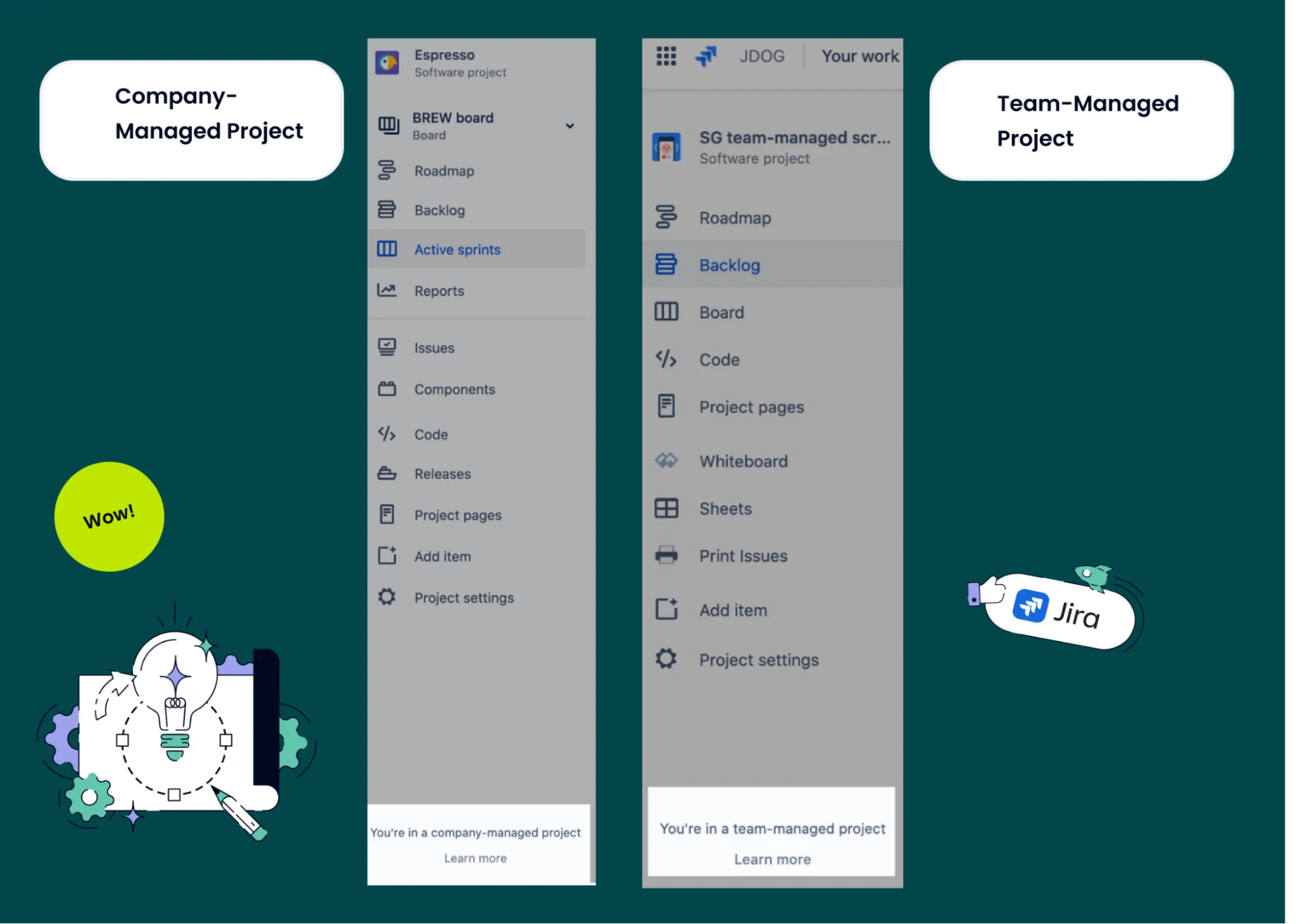
Open your project sidebar and look at the bottom left.
- Team-Managed: “You’re in a team-managed project.”
- Company-Managed: “You’re in a company-managed project.”
A simple detail that saves a lot of confusion.
Bringing It All Together: Choosing the Right Project Type with Confidence
In the end, the decision between Team-Managed and Company-Managed projects in Jira comes down to what your teams truly need—both today and as you scale.
If your priority is autonomy, speed, and lightweight configuration, Team-Managed projects offer a streamlined environment where teams can evolve their processes without relying on Jira admins.
If your organization requires consistency, governance, and advanced configuration, Company-Managed projects provide the structure and shared standards needed to support collaboration across many teams.
In summary, the choice between Team-Managed and Company-Managed projects depends entirely on your team’s specific goals, workflows, and collaboration needs. What matters most is that you understand both project types, know their core functionalities, and make your decision with full awareness of how each option will impact your work now—and in the future.
At Seibert, we often help teams find the balance that fits their maturity, growth, and organizational setup. With the right foundation, Jira can scale with you.