

In the dynamic, technology-driven world of modern knowledge work, things change quickly – and they usually change in such a way that they become more complicated and difficult. So it’s a welcome change when the opposite is true and things become simpler instead of more complicated, isn’t it?
At this year’s edition of the Team ’24 customer and user conference, Atlassian has just announced just such a simplification – and it concerns Atlassian’s flagship product: the two separate solutions Jira Software and Jira Work Management are being merged into one solution. It will bear the simple name “Jira”.
Two software solutions become one: Jira
This merger is intended to create a central location for all teams in a company, where both technical and business teams can map their goals and priorities, manage their projects and tasks, and gain insights into all current work.
This creates a single overarching project management tool where all projects from software development to marketing, design or HR can be managed. And Atlassian promises that these changes will make the new Jira more straightforward, collaborative and powerful than ever before – with more flexibility and visibility, better collaboration and more informed decision-making for teams of all shapes and sizes.
But the new Jira doesn’t just want to unite all teams, work and information in a common system; it also aims to solve the challenges associated with using and administering multiple separate products. Billing, provisioning, authorizations – these and other aspects are to become more straightforward and efficient.
What’s changing? The new Jira features
Atlassian is merging Jira Software and Jira Work Management into one solution that is aimed at both software and business teams. As a result, Jira Work Management will no longer be available as a separate product after a transition period.
With the merger, Atlassian is delivering a completely renewed navigation and a set of new features that promise to make Jira both more flexible and simpler.
Goals
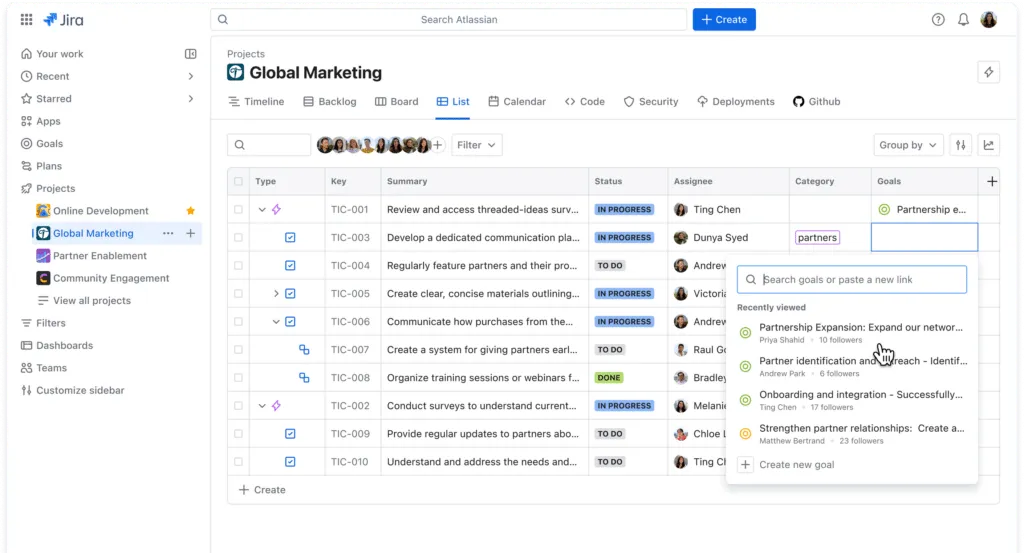
Goals in Jira can be added to any project or task. This new feature is intended to increase the transparency of goals across teams in Jira and make work linked to these goals more visible. This should help teams to create alignment. In the “Goals directory”, a central overview, there is also a list of all company goals and the teams working on them.
Plans
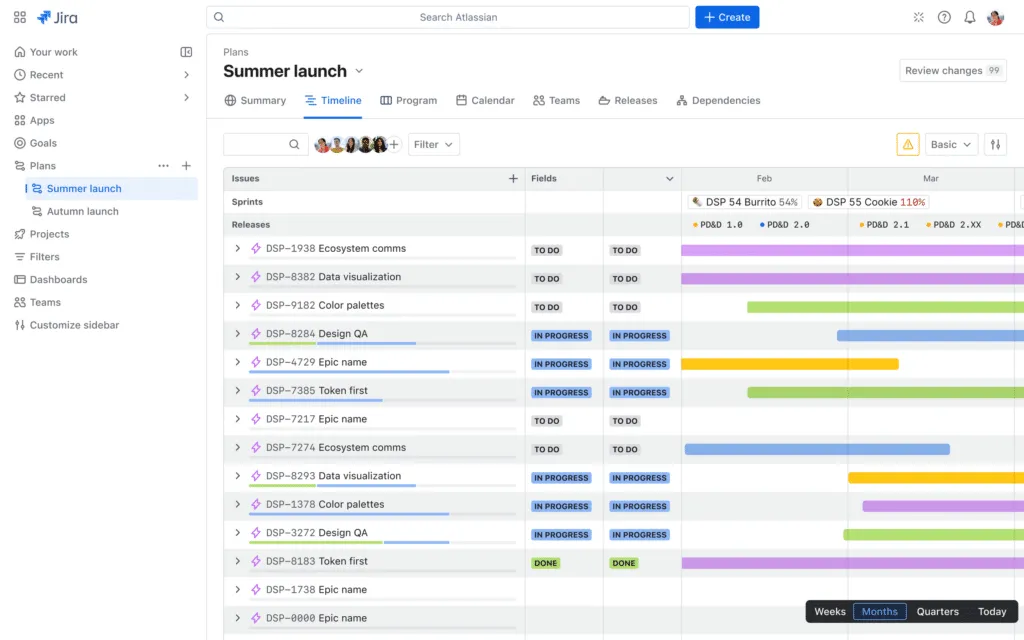
The best of the Jira work management overviews are combined under the new Plans function. Jira Plans (previously Advanced Roadmaps) now include overviews such as a new calendar view and an updated summary to see metrics at a glance. This should make it easier to create plans, navigate between them and interact with them.
List view
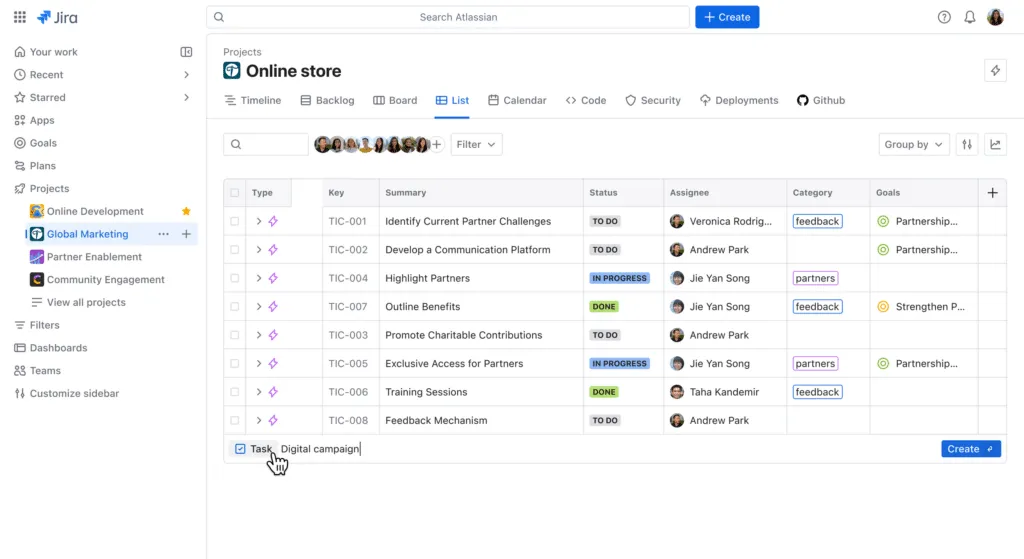
The list view was previously only available in Jira Work Management; now it is available in all types of Jira projects, including software projects. This view allows you to visualize work in a table format and edit information in tasks without opening the corresponding tasks.
Atlassian Intelligence
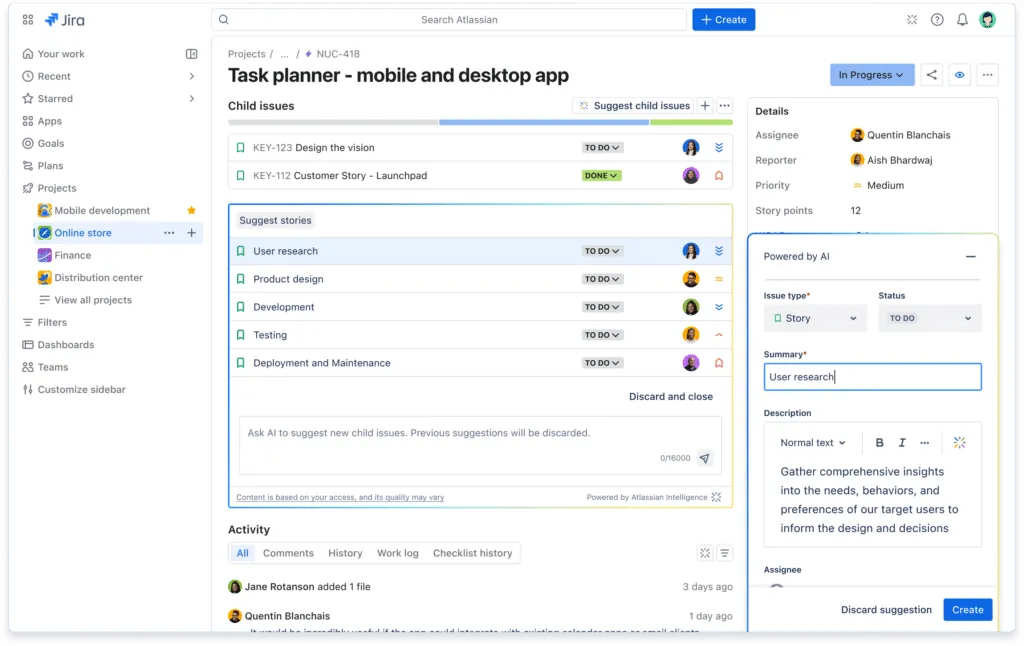
Coming soon, a feature called AI Work Breakdown, which is currently being rolled out in beta mode for Premium and Enterprise customers, will make intelligent suggestions on how to break epics into tasks or tasks into subtasks. Once a suggestion has been customized and confirmed, the system creates the corresponding objects and integrates them accurately into the hierarchy.
What’s next for existing Jira customers?
Is your company a customer of Jira Software or Jira Work Management? Then you are probably wondering what to do next in terms of licenses and user setup. Here is the most important information:
Jira Software customers do not need to take any action at all. As of May 1, they will automatically have access to the new Jira and there will be no impact on existing projects. The license fees also remain unchanged.
Jira Work Management customers will continue to have unrestricted access to their systems. In spring 2025, Jira Work Management subscriptions will be automatically converted to Jira subscriptions; customers will then have full access to the new Jira. The migration will also have no impact on existing projects. Pricing will remain the same until the first license renewal after the migration. The Jira license fees will then apply for license renewals. Former Jira Work Management customers will automatically receive a ten percent discount on the following twelve months.
Do you have questions about switching to Jira? Would you like to find out more about your options as a customer? Contact us below to make an appointment with our Atlassian experts.