

You’ve likely heard the news: Rovo is now for everyone! In April 2025 at Team ‘25, Atlassian announced that Rovo is included on all paid plans of Jira, Confluence and Jira Service Management – with those on Premium or Enterprise editions getting first access (and Standard not far behind, with GA later this year). While this is awesome news – there’s a large gap between AI excitement and actual user adoption.
Even though generative AI emerged dramatically about two years ago, there’s been widespread interest but slower-than-expected adoption due to practical challenges. AI functions as a tool, and its impact, particularly for knowledge management, hinges on strong underlying practices; applying AI to flawed systems risks amplifying errors. Conversely, AI integrated thoughtfully can transform knowledge sharing.
This guide explores Atlassian’s AI tools, Atlassian Intelligence and Rovo, and best practices for maximizing their potential within your organization. We’ll explore tangible, practical ways you can start using Rovo and AI – right after you’re done reading, if you want to!
Atlassian Intelligence vs. Rovo
Atlassian Intelligence (or simply “AI”) was developed to maximize productivity with AI-powered enhancements across Atlassian’s suite of products, streamlining workflows and making tools smarter. However, as organizations increasingly adopt multiple applications, accessing and integrating knowledge across platforms becomes challenging. Enter Atlassian Rovo—an intelligent solution designed to bridge the gap by centralizing data access and insights across tools, making collaboration seamless and effective. Let’s take a closer look at how these two tools compare.
Atlassian Intelligence in Jira and Confluence
Atlassian Intelligence embeds AI-driven knowledge management capabilities directly into the hands of organizational leaders and their teams, spanning departments from HR to IT. Integrated across Confluence, Jira, and the wider Atlassian product suite, it delivers tangible benefits. According to Atlassian’s own research, users of Atlassian Intelligence report saving an average of 45 minutes weekly, and 77% agree that its AI-enhanced search capabilities save them time.
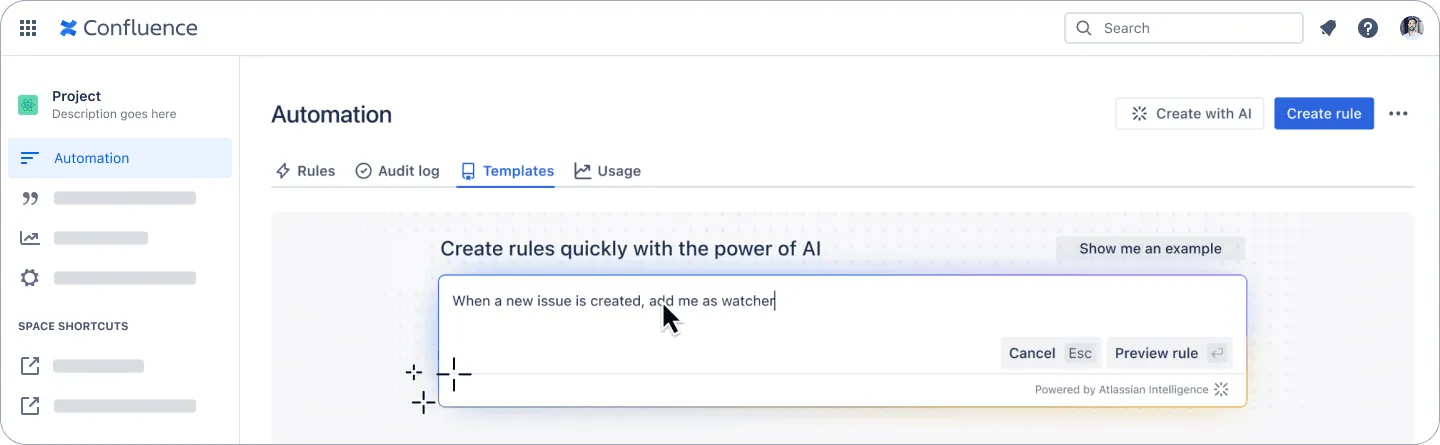
Key features distinguishing Atlassian Intelligence include:
- Content Transformation: AI can process various forms of unstructured content, such as notes from a whiteboard session, converting them into structured formats like Confluence pages or Jira tasks.
- Proactive Knowledge Discovery: The AI automatically surfaces the most relevant information, reducing the need for manual searching. For instance, it might suggest related pages based on the user’s current view or deliver results in Jira through natural language queries.
- Content Generation and Enhancement: Generative AI assists in creating outlines, initial drafts, and titles for new content. It can also refine existing material by adjusting writing style or improving clarity.
Introducing Rovo: Your Collaborative AI Partner
Rovo is a standalone product powered by Atlassian AI that extends AI capabilities beyond individual Atlassian tools. This tool offers cross-product integration, connecting Atlassian’s suite with third-party tools like Google Drive and GitHub. With over 40 integrations, Atlassian Rovo allows departments to manage workflows across systems efficiently. By centralizing data, Atlassian Rovo is a versatile knowledge management tool, streamlining organizational efficiency.
mdx
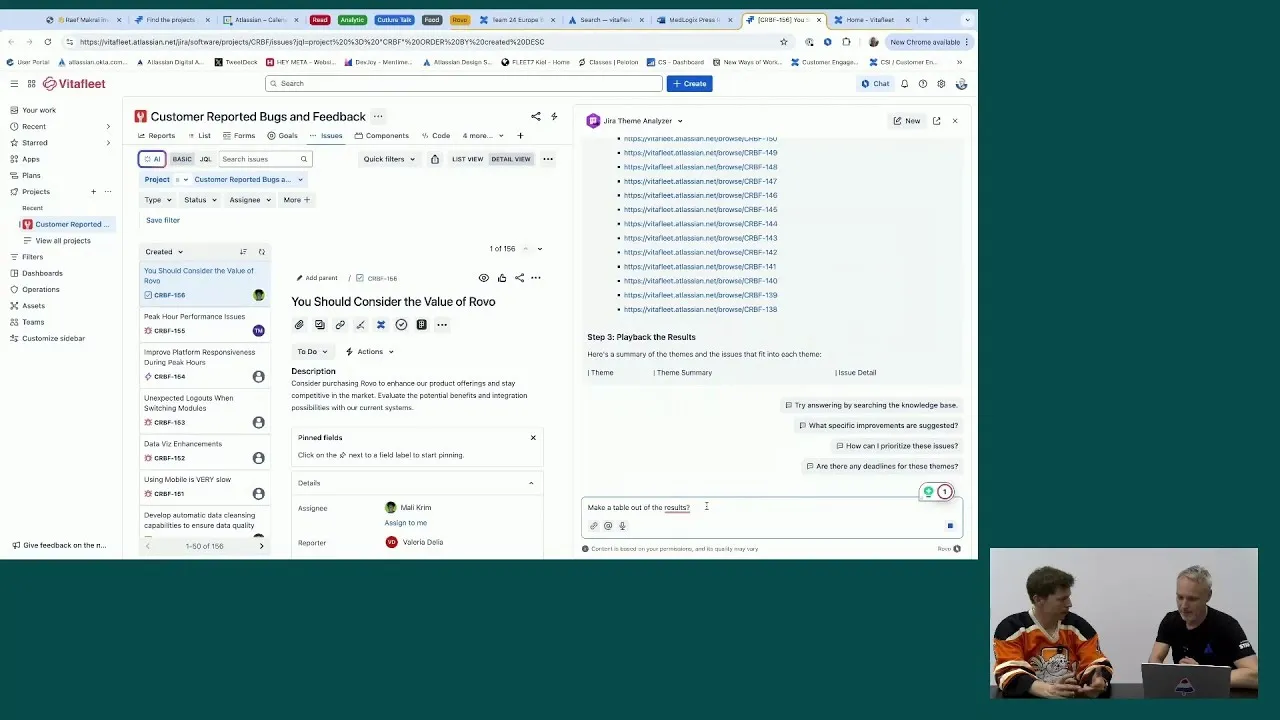
What is Rovo and how does it work? Rovo's enterprise search and agent functions explained.

To effectively utilize Rovo, it is helpful to understand its main components, which are designed to work together to provide a comprehensive, AI-assisted experience:
- Enterprise Search: Rovo Search retrieves the most pertinent results from all your Atlassian platforms (Jira, Confluence, Loom, Bitbucket) and connects with vital 3rd-party applications like Google Drive, Microsoft SharePoint, Figma, Slack, and others. It scans data sources across diverse locations and formats – from Jira issues to charts in Google Drive – understanding your information needs to provide relevant search results drawn from your entire enterprise ecosystem.
- Rovo Chat: Engage with Rovo Chat to receive tailored answers to your queries. It comprehends the context surrounding your organization’s projects, objectives, activities, and personnel to furnish precise and comprehensive responses. Examples include asking about project delays, clarifying strategic concepts, or identifying suitable team members for assignments.
- AI Agents: Rovo’s AI Agents operate as extensions of your team, executing specific tasks tailored to your team’s unique requirements and objectives. Pre-configured Agents handle common tasks such as generating or revising content to match brand voice, translating materials, organizing Jira backlogs, drafting release notes, and more. Furthermore, custom agents can be developed for specialized needs using a no-code interface.
10 Easy Ways to Use Rovo
The table below presents ten accessible methods for Jira and Confluence end-users to begin experiencing the benefits of Rovo. Each entry is designed to be a “quick win,” offering immediate value with minimal time investment.
| Use Case | Rovo Feature Used | Relevant Atlassian Tool(s) | Teams That Can Benefit | Estimated Time to Complete with Rovo | Key Steps & Example Prompt |
|---|---|---|---|---|---|
| Instantly Find Project Updates Across Tools | Rovo Search | Jira, Confluence | All Teams | < 1 minute | Use Rovo Search bar. Prompt: Latest updates on Project Phoenix or Find ‘Q3 marketing plan’ Confluence page |
| Get a Quick Summary of a Long Page/Issue | Rovo Chat (or /ai in editor) | Jira, Confluence | All Teams | 1-3 minutes | Open Rovo Chat, paste link or refer to current page/issue. Prompt: Summarize this page or Summarize this Jira ticket thread |
| Understand Unfamiliar Company Jargon or Acronyms | Rovo Definitions | Jira, Confluence | All Teams (especially new hires) | < 1 minute | Highlight term, select “Define” or Rovo may automatically highlight it. Check definition provided from Confluence |
| Draft a Basic Jira Issue from a Simple Prompt | Rovo Chat | Jira | All Teams | 2-5 minutes | Open Rovo Chat. Prompt: Create a Jira task to ‘Review new website design’ and assign it to Sarah |
| Generate Initial Ideas for a Confluence Page | Rovo Chat (or /ai in editor) | Confluence | All Teams, Marketing, Product | 2-5 minutes | In Confluence editor, type /ai. Prompt: Draft a meeting agenda for a project kick-off including objectives and key discussion points |
| Find Who is Responsible for a Project/Area | Rovo Search (natural language) | Jira, Confluence | All Teams | < 1 minute | Use Rovo Search. Prompt: Who is the owner of the ‘Q4 Security Initiative’? or Who is working on the ‘Alpha feature’? |
| Quickly Locate Recently Viewed/Edited Work | Rovo Search (Quick Find) | Confluence (expanding to Jira) | All Teams | < 30 seconds | Open Rovo Search in Confluence; recent items appear before typing. Or type initial characters of what you’re looking for |
| Translate a Short Piece of Text or Page Section | Rovo Agent (e.g., Global Translator) or Rovo Chat | Confluence | Global Teams, Marketing, Documentation | 1-3 minutes | Invoke Global Translator Agent (if available) or use Rovo Chat. Prompt: Translate this selected text to Spanish |
| Create a Checklist or Action Items from Meeting Notes | Rovo Chat | Confluence | All Teams | 1-2 minutes | Paste meeting notes into Rovo Chat. Prompt: Create a checklist of action items from these notes |
| Summarize a Slack Thread or Email Chain | Rovo Chat | Slack, Email (via integration) | All Teams | 1-2 minutes | Paste thread or email into Rovo Chat. Prompt: Summarize this conversation |
Making Rovo Your Go-To Assistant: Access Points
Rovo is designed for accessibility, with multiple entry points within the Atlassian environment and beyond:
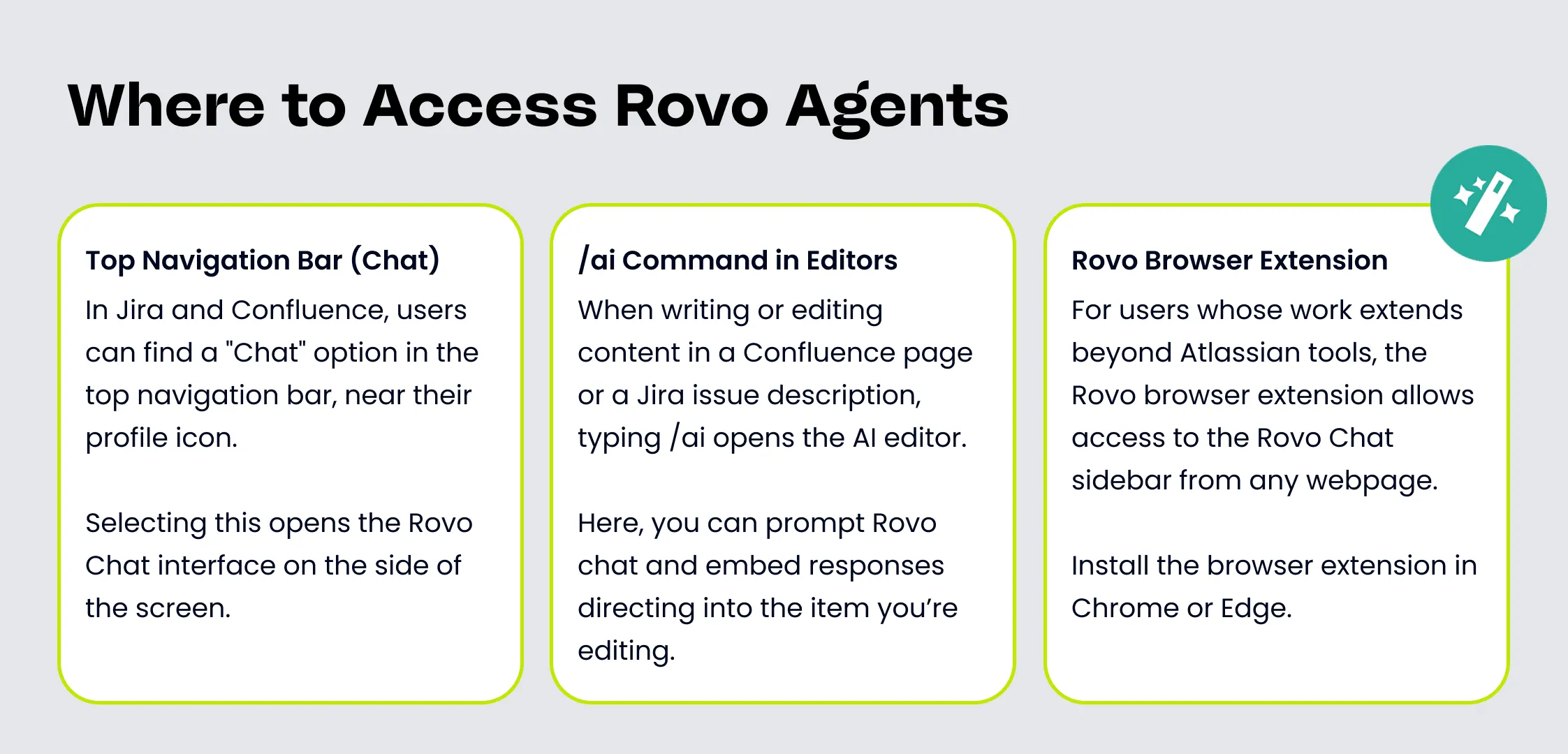
- In Jira and Confluence, users can typically find a “Chat” option in the top navigation bar, near their profile icon. Selecting this opens the Rovo Chat interface on the side of the screen, allowing for quick questions, content editing requests, or task identification without navigating away from the current page or issue. This seamless access encourages frequent, in-context use.
- When writing or editing content in a Confluence page or a Jira issue description, typing /ai opens the AI editor. Users can then provide a custom prompt, such as “Tell AI to summarize this draft” or “Tell AI to generate three alternative titles for this section.” This feature embeds AI assistance directly into the content creation and refinement process.
- For users whose work extends beyond Atlassian tools, the Rovo Chat sidebar can be accessed from any webpage, allowing Rovo to assist with information on third-party sites, news articles, or more.
How to Setup Your Own Rovo Agent
Atlassian offers distinct pathways for creating and customizing Rovo AI teammates, catering to a diverse range of user needs and technical expertise.
- The No-Code/Low-Code Path: Primarily facilitated through Rovo Studio, this approach is designed for broad accessibility, empowering users across various roles to build agents without extensive programming knowledge.
- The Developer-Focused Path: Leveraging the Atlassian Forge platform, this method provides developers with the tools to construct highly custom, complex, and deeply integrated agents.
To create your own Rovo Agent:
- Open Rovo Chat. This is found in the top navigation bar of your Atlassian product (e.g., Confluence, Jira), near your profile icon.
- Within the Rovo Chat window, look for an agent selector or menu (often at the top-left). Click this and select an option like “Browse Agents”.
- In the agent browsing view, locate and click a button or option labeled “Create”, “Create an Agent”, or similar. This will initiate the agent creation process, transitioning you into a Rovo Studio interface for a guided setup.
Building a Rovo Agent In-App vs. with Forge
The following chart provides a clear, side-by-side comparison of building Rovo agents via the no-code/low-code approach (primarily using Rovo Studio and in-app builders) versus the developer-centric Forge platform.
| Feature/Aspect | No-Code (Rovo Studio / In-App) | Forge Development |
|---|---|---|
| Technical Skill Required | Low to None (Natural language, visual configuration) | High (JavaScript/TypeScript, Forge platform knowledge, API dev) |
| Development Speed/Effort | Fast, guided setup | Slower, requires coding and testing |
| Customization | Limited to available options | Highly customizable, full API access |
| Integration | Built-in Atlassian and popular 3rd-party connectors | Custom integrations possible |
| Maintenance | Minimal, managed in-app | Requires ongoing developer support |
More Ways to Adopt Atlassian Rovo + AI on Your Team
By implementing supportive practices and utilizing AI effectively, teams can establish a knowledge management framework that strengthens the company as it expands. The four steps detailed below will guide your organization in using AI to build a solid foundation for knowledge sharing, employee productivity, and inter-team collaboration.
Cultivate a Collaborative Culture
The initial step towards robust knowledge management involves nurturing a culture of collaboration. This entails establishing an open environment where teams readily share insights, communicate within the knowledge base, and locate necessary information efficiently. This cultural transformation fuels a more potent knowledge engine reflecting the collective wisdom of the team.
Atlassian Intelligence significantly aids in fostering this collaborative atmosphere by:
- Summarizing meeting discussions and pinpointing action items: This allows teams to quickly grasp key outcomes and next steps, ensuring alignment and minimizing lengthy recaps.
- Assisting in drafting and refining knowledge articles: This standardizes crucial knowledge and accelerates its dissemination, providing teams with equitable access to vital information.
- Facilitating real-time interaction and incorporating video messages: Features like simultaneous editing and tagging colleagues promote active involvement, prompt feedback, and heightened engagement, enabling seamless collaboration regardless of location.
- Recommending pertinent resources for content creation and feedback: Intelligent suggestions help team members swiftly locate valuable references, simplifying content generation and supporting informed decision-making.
- Supporting passive knowledge discovery via page summaries: Atlassian Intelligence reveals valuable insights by displaying summaries when hovering over page links, aiding the discovery of relevant information that might otherwise be overlooked.
Enhancing Collaboration with Rovo: Rovo integrates with widely used third-party collaboration platforms (e.g., Slack, Google Meet, Microsoft Teams) to dismantle information silos. These integrations permit users to search, distribute, and act on knowledge from these platforms without disrupting their workflow by switching applications.
Use Case Example: Optimizing Project Planning: A project manager could employ AI to link tasks and timelines from different teams using inputs like a marketing calendar and product roadmap. Based on this documentation, AI can generate a draft project plan accommodating all stakeholders, consolidating relevant details for each department.
[caption id=“attachment_6724” align=“aligncenter” width=“1600”]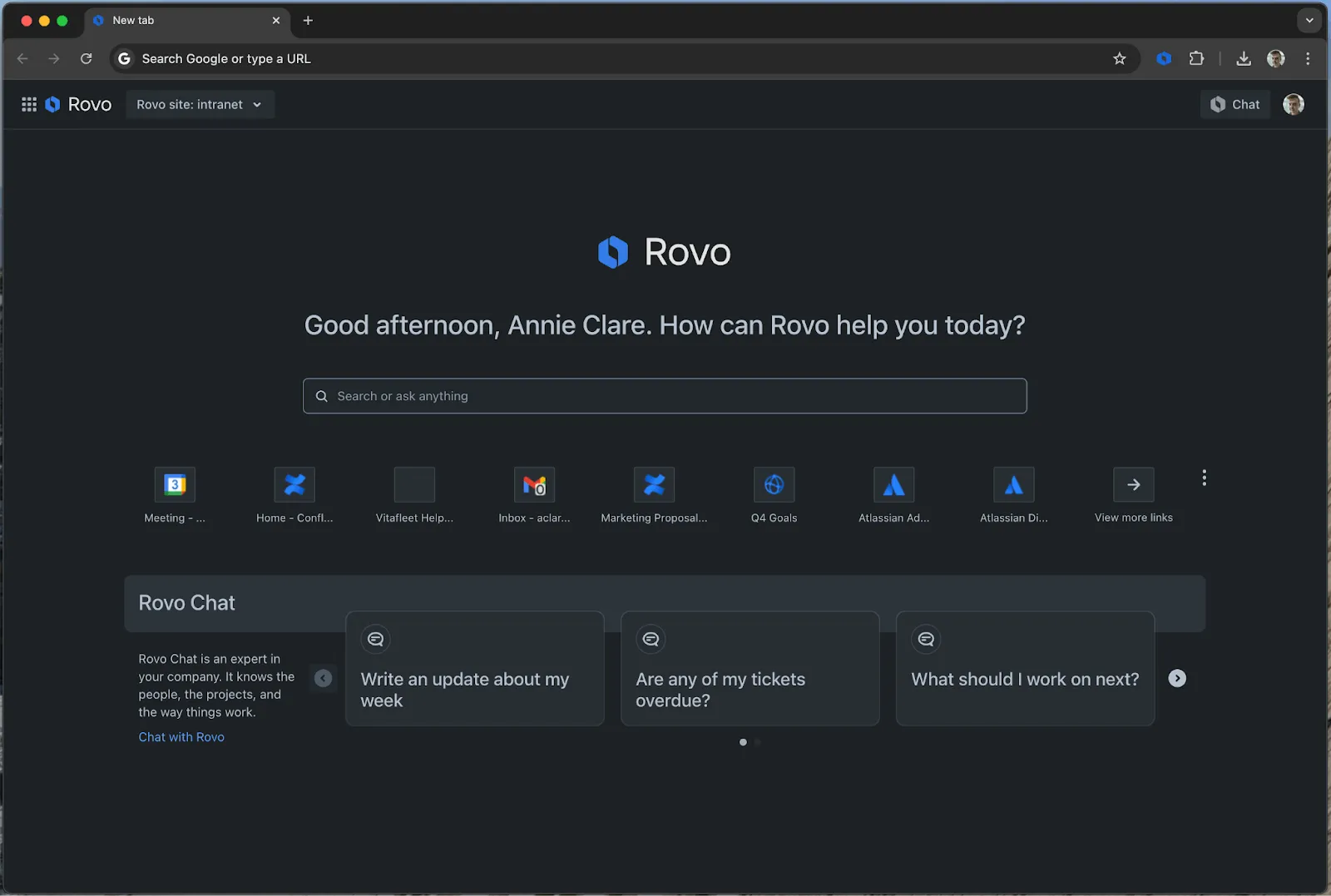 Access to Rovo via the Chrome browser extension for easy collaboration[/caption]
Optimize and Enhance Content Creation
Continuously creating new resources and updating existing ones within your knowledge base is essential. However, generating content anew and modifying existing materials, along with gathering necessary company documents for context, consumes considerable time.
Confluence provides a diverse array of content formats—including pages, databases, whiteboards, and videos—enabling the creation of specialized, tailored content. Pre-designed templates for frequent use cases like meeting agendas, decision logs, and brainstorming sessions simplify and accelerate the creation process.
Atlassian Intelligence aids in drafting and polishing content, thereby boosting both productivity and quality. AI can generate summaries for Confluence pages and condense information from external sources, such as data within Jira tickets and epics. Even informal whiteboard notes can be seamlessly converted into structured Confluence pages or Jira tickets, facilitating the smooth progression of ideas from inception to execution.
Improving Content Creation with Rovo: Rovo Agents can be configured to draft detailed documents using inputs like Jira tickets, whiteboard sessions, and meeting notes, helping to standardize and distribute information more rapidly.
Save Time and Locate Information Efficiently with AI
Frequently, progress hinges on obtaining a single piece of information, quick feedback, or necessary approval, but the required individual is unavailable. AI can bridge these gaps by summarizing meeting notes, pages, and comment threads, enabling you to find answers swiftly.
Accelerate Workflows with Rovo: Rovo Chat facilitates dynamic conversations, allowing teams to ask clarifying questions until they achieve understanding, brainstorm novel concepts, gather valuable input, and resolve issues collaboratively in real time. Fueled by your company’s data, the chat tool becomes progressively more intelligent with usage, improving its capacity to assist your teams effectively.
Use Case Example: Instant Answers for Onboarding: New employees can pose questions to Rovo Chat throughout their onboarding journey, such as, “Where do I find my benefits information?” or “What are my team’s objectives for Q3?” Rovo delivers direct answers while providing links to relevant resources for further exploration.
[caption id=“attachment_7785” align=“aligncenter” width=“1920”]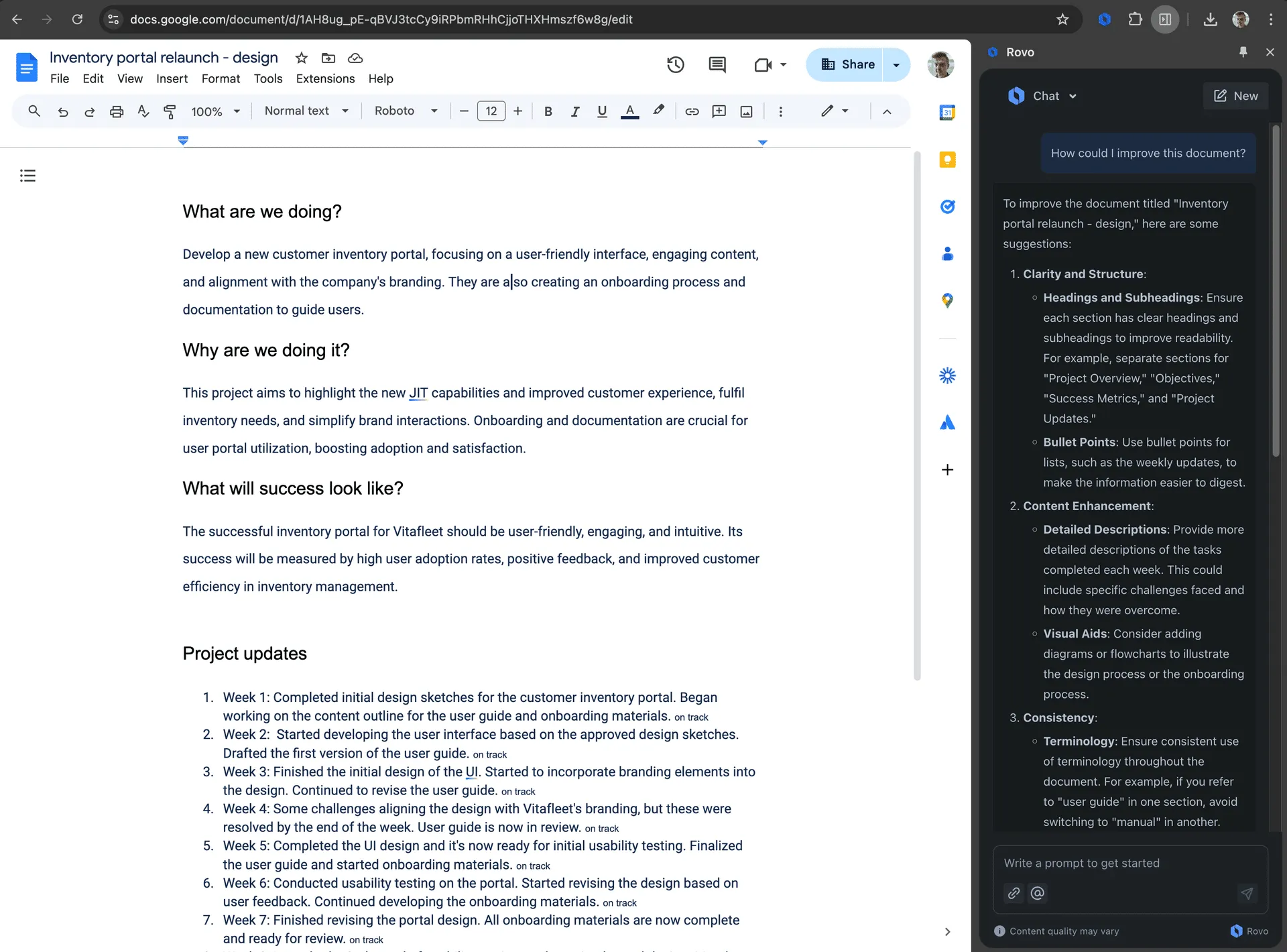 Pose a question to Rovo chat from anywhere, even inside Google Docs[/caption]
Automatically Assess, Maintain, and Optimize Knowledge Content
Inaccurate or outdated information in your organization’s knowledge base inevitably leads to misalignment and errors. Institute a regular practice of reviewing critical internal knowledge for accuracy and relevance. Encourage team members to identify outdated content and notify the appropriate administrators for correction, to preserve a reliable source of truth for everyone.
Confluence aids this process by providing insights into content engagement, helping teams discern what content is effective, what requires updating, and what can be archived. Detailed Page Insights encompass metrics like views, unique visitors, comment activity, and the engagement levels of mentioned users, all contributing to enhanced content quality.
AI-driven automations help ensure that irrelevant or outdated content doesn’t go unnoticed. Within Confluence, automation rules can be created simply by describing the desired task. For instance, an automation could be set to archive a page after six months of inactivity and notify the page owners upon archiving.
Smarter Automation with Rovo: Utilize Rovo Agents to automate workflows and simplify routine procedures, such as localizing company policies across different regions or verifying that documents conform to established brand guidelines.
Use Case Example: Guaranteeing Information Accuracy and Accessibility: Teams can employ AI to prevent valuable company data and content from being neglected. For example, space administrators might implement rules that automatically remind page owners to review and update their content quarterly, preventing information obsolescence.
Boost Your Workforce with Atlassian’s Teamwork Collection
Achieve fluid collaboration and heightened productivity using Atlassian’s Teamwork Collection. This integrated suite of work management tools eliminates silos, increases efficiency, and embeds AI throughout the teamwork lifecycle. By harnessing the collective power of Jira, Confluence, Loom, and Rovo agents, your teams can navigate challenges such as tool fragmentation and disconnected teams. Plus, with a Teamwork Collection subscription you automatically get higher AI credit usage limits per user.
As a Platinum Atlassian Solution Partner, Seibert can offer a customized implementation strategy, share best practices for cross-functional collaboration, and provide guidance to ensure you harness the full capabilities of your Atlassian tools. We can assist with designing rollout plans, training teams on AI teammate usage, ensuring smooth departmental adoption, and optimizing workflows across Atlassian and third-party applications. Get in touch with us today to build a consulting package that fits your team’s needs.